
How AI Is Solving the Workplace Software Adoption Problem

Your company bought workplace management software. It has desk booking, room scheduling, visitor management, analytics - everything the evaluation checklist required.
Six months later, 40% of employees still email the office manager to book a conference room.
This is the adoption problem. And it’s not new.
TL;DR:
- Workplace software adoption fails because the software itself gets in the way - employees skip it, not because they don’t care, but because it adds friction to their day.
- The traditional fix (better onboarding, more training) treats the symptom. AI treats the cause by removing the interface entirely.
- When your workplace agent lives inside Teams or Slack, there’s nothing new to learn - employees just ask it like they’d ask a colleague.
- Proactive AI takes this further: it doesn’t wait to be asked. It spots problems before they happen and handles coordination in the background.
- The goal isn’t higher adoption rates. It’s making adoption irrelevant.
The Numbers Are Brutal
70% of digital transformation initiatives fail to reach their goals, according to McKinsey. Not because the software is bad - because people don’t use it.
The adoption gap in workplace technology is especially painful:
- The average employee toggles between 11 apps daily (Harvard Business Review). Each new tool competes for attention with 10 others.
- 96% of employees are dissatisfied with their workplace tools (Strety, 2025).
- Digital exhaustion has reached 84% of workers, according to Asana’s 2025 State of AI at Work report - up significantly from prior years.
- 56% of employees say tool fatigue hurts their productivity every week.
And it gets worse. When organizations try to solve the problem by adding AI tools on top, they often end up intensifying work rather than reducing it. More dashboards. More notifications. More context-switching.
The problem was never the features. It was always the interface.
Why Workplace Software Fails at Adoption
Every workplace management platform makes the same fundamental assumption: employees will learn a new interface.
They won’t.
Here’s why the traditional approach breaks down:
1. Another Login, Another Dashboard
Every new platform means a new URL, a new login, a new set of navigation patterns to learn. IT sends the onboarding email. HR runs the training session. Facilities creates the quick-start guide.
Three months later, the power users love it. Everyone else goes back to Outlook and walks to the office manager’s desk.
2. Change Management Is Expensive
Enterprise adoption programs aren’t free. You need:
- Training sessions (and recurring refreshers)
- Internal champions
- Communication campaigns
- Helpdesk support for the new tool
- Months of patience while adoption curves flatten
For a desk booking system, this level of investment often exceeds the cost of the software itself.
3. Mobile Apps Don’t Solve It
“We have a mobile app” is the standard answer to adoption concerns. But downloading another app, creating another account, and learning another interface is the same problem in a smaller screen.
Research from BCG shows that frontline employees face a “silicon ceiling” - only half use the AI tools made available to them. The barrier isn’t capability. It’s friction.
The AI Approach: Eliminate the Interface
Here’s where a new generation of AI workplace agents is changing the equation.
Instead of asking employees to learn a new tool, these assistants live inside the tools employees already use - Microsoft Teams, Slack, email. The employee sends a message. The AI handles the rest.
No new app. No new login. No training session.
The interface is a conversation.
What This Looks Like in Practice
Traditional approach:
- Open the workplace app (find the URL, remember the login)
- Navigate to desk booking
- Select a date
- Filter by floor and neighborhood
- Find an available desk near your team
- Click to book
- Repeat for the meeting room
- Switch to visitor management to register your afternoon guest
- Fill out the visitor form
AI approach:
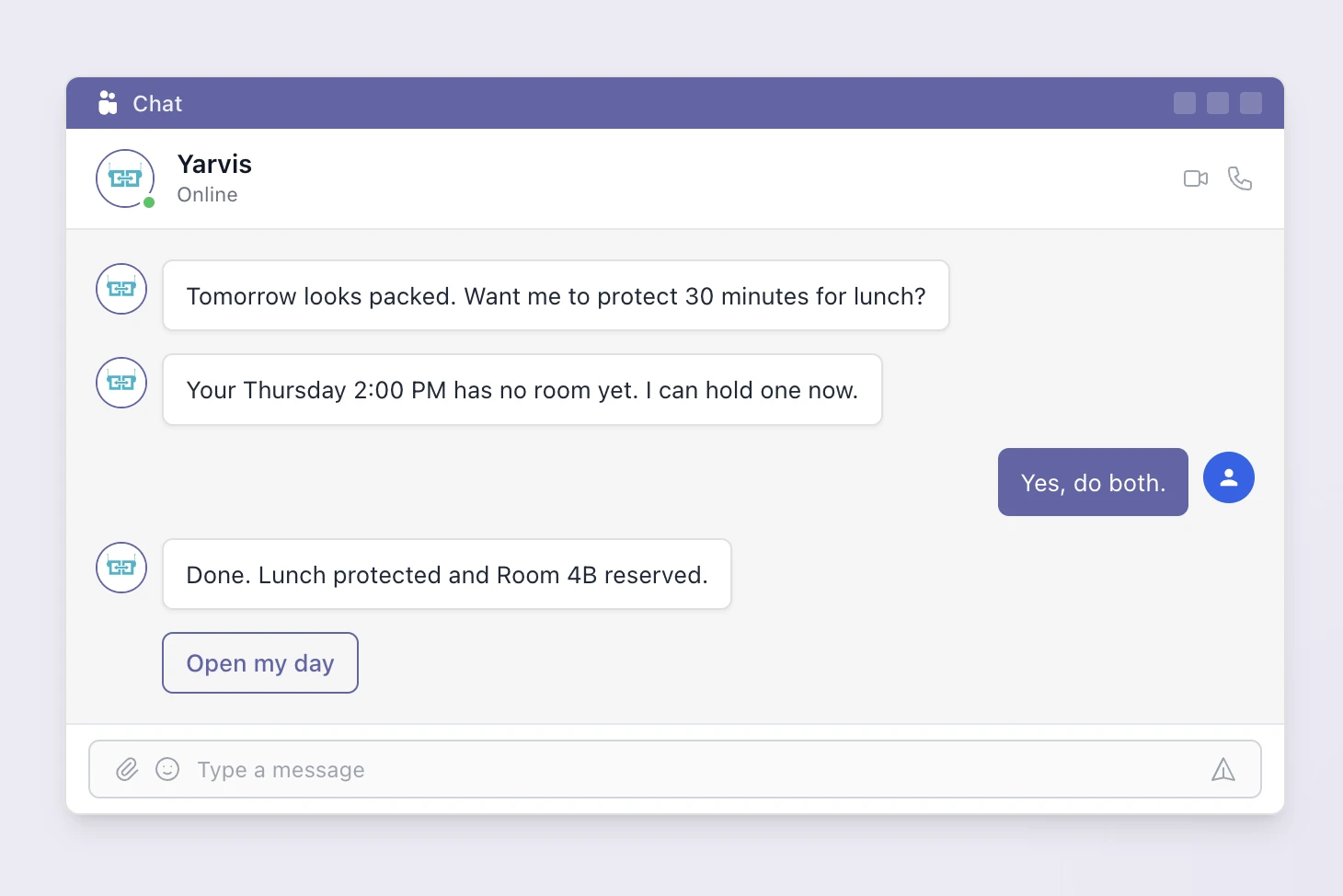
“Book me a desk near the marketing team tomorrow, a room with a projector for my 2 PM meeting, and register Sarah Chen as a visitor for 2 PM.”
One message. Three tasks. Done.
This isn’t a hypothetical. AI workplace agents like Yarvis handle exactly this kind of compound request today, directly inside Microsoft Teams and email.
Why Conversations Beat Dashboards
Conversations are the most natural interface humans have. We’ve been having them since childhood. They require zero training, zero onboarding, and zero change management.
When the AI agent lives inside Teams - where your employees already spend their workday - adoption isn’t something you need to drive. It happens automatically because there’s nothing new to learn.
This is the core insight: adoption hits 100% when there’s nothing to adopt.
Proactive AI: Beyond Reactive Booking
The first generation of workplace AI was reactive - a chatbot that waited for commands. “Book room 4B” and it would try.
The next generation is proactive. Instead of waiting for employees to ask, these assistants:
- Scan calendars and catch problems. “Your 2 PM meeting has 8 attendees but you booked a 4-person room. I found Room 6B - 10 seats, same floor. Want me to switch?”
- Coordinate teams automatically. “Find 30 minutes with Sarah and the design team next week in a room with a whiteboard” - the AI checks everyone’s calendars, finds availability, books the room, and sends invites.
- Handle visitor workflows end-to-end. CC the AI on a client email and it creates the visitor pass, books a meeting room, reserves parking, and sends directions. Zero manual steps.
- Learn preferences over time. After a few interactions, “book my usual” works exactly as expected.
This is the difference between a tool that waits to be used and a colleague that actively helps. And it’s why the employee experience shifts dramatically.
What to Look for in an AI Workplace Agent
Not all AI agents are created equal. When evaluating solutions, focus on these criteria:
1. Where Does It Live?
If the AI agent requires its own app or portal, you’ve just recreated the adoption problem. Look for assistants that work natively inside Microsoft Teams, Slack, or email - the tools your employees already have open.
2. Can It Handle Compound Requests?
“Book a desk” is simple. “Book a desk near marketing, a room with a whiteboard for my 10 AM, and register two visitors for the afternoon” is real life. The assistant should handle multi-resource, multi-action requests in a single conversation.
3. Is It Proactive or Just Reactive?
A chatbot that only responds to commands is 2023 technology. Look for assistants that proactively scan calendars, flag conflicts, and suggest optimizations without being asked.
4. Does It Connect to Your Full Workplace Stack?
Booking a desk is one thing. But can it also handle room booking, visitor management, parking, team scheduling, and facility requests? An assistant that only covers one workflow creates yet another fragmented experience.
5. What’s the Pricing Model?
Some vendors charge per-user AI surcharges on top of the platform cost. Others include the AI agent with the platform. At scale, per-user AI fees add up fast - especially when the whole point is getting every employee to use it. (Compare YAROOMS pricing to see how we approach this.)
The Adoption Metrics That Matter
Once you deploy an AI workplace agent, track these metrics:
| Metric | What to measure | Target (30 days) |
|---|---|---|
| Time to first interaction | Days from deployment to first employee message | Same day |
| Repeat usage rate | % of employees using the assistant 1+ times per week | >60% |
| Booking method mix | % of bookings via AI vs. dashboard vs. manual requests | AI becomes #1 channel |
| Support ticket reduction | “How do I book a room?” tickets vs. pre-deployment baseline | -50% or more |
| Employee satisfaction | Workplace experience survey scores | Measurable lift by day 60 |
The benchmark you’re aiming for: within 30 days, more bookings should come through the AI agent than through any other channel.
The Bottom Line
The workplace software adoption problem isn’t a training problem. It’s a design problem. For fifteen years, we’ve asked employees to adapt to our software. The AI generation flips this: the software adapts to the employee.
When the interface is a conversation in the tool they already use, there’s nothing to adopt, nothing to learn, and nothing to resist.
Want to see how this works in practice? Meet Yarvis - YAROOMS’ AI workplace agent that lives in Microsoft Teams and email. Or to see it handle real workplace scenarios live.
Workplace of the future. Today.
See how YAROOMS integrates with Microsoft 365 to create a seamless workspace booking experience.