
Best Robin Alternatives in 2026: Compare 7 Workplace Booking Platforms
If you’re reading this in 2026, you’re likely in one of two spots: already using Robin and wondering whether to switch, or evaluating workplace booking platforms and deciding whether Robin belongs on your shortlist. Either way, it’s a fair question to ask.
This guide covers what Robin genuinely does well, the specific and sourced reasons some teams look for Robin alternatives, how it stacks up against 7 top workplace booking platforms, and what an actual migration involves if you decide to switch.
| Platform | Starting Price | Free Tier | Compliance & Security | Key Integrations | G2 / Capterra | Best For |
|---|---|---|---|---|---|---|
| YAROOMS | $99/month | No | SOC 2 Type II, ISO 27001/27701/9001/14001, GDPR | Microsoft Teams, Microsoft 365/Outlook, Google Calendar, Azure AD | 4.3 / 4.6 | Org-wide adoption, transparent pricing, AI built in |
| Kadence | Custom quote | No | SOC 2, Cyber Essentials, GDPR, CCPA | Microsoft Teams, Slack, Google Workspace, Okta, Workday, BambooHR | 4.5 / 4.6 | Hybrid visibility, AI booking, HR/ticketing integrations |
| Skedda | $99/month per space | No | SOC 2 Type 1 & 2, GDPR | Microsoft 365, Teams, Google Workspace, Slack, Zoom, Okta | 4.8 / 4.8 | Complex, customizable booking rules |
| elia | Free, then $500/month | Yes (50 places) | ISO 27001:2022, ISO 9001:2015, GDPR | Google Workspace, Microsoft 365, Slack | 4.5 / 4.7 | Free start, software + hardware from one vendor |
| Archie | From $2.80/desk | No | None named published | Microsoft Teams, Slack, Google Calendar, Kisi, Stripe | 4.9 / 4.8 | Coworking/flex-space, best price-to-value |
| Microsoft Places | $8.55/license/month | No | Inherits Microsoft 365's compliance program | Native Microsoft 365 only | Not available | Microsoft 365-native organizations |
| Dibsido | Free, then per-module | Yes (20 users) | GDPR (DPA-based); none named published | Microsoft Teams, Slack, Google Calendar, Entra ID | 4.9 / 4.7 | Fast, simple, budget-conscious booking |
Best Robin alternatives: an overview
How We Put This Guide Together
We’re not a neutral third party - YAROOMS competes with Robin, and we’d like you to consider us. But we do talk daily with facilities managers, IT admins, and workplace ops leads comparing platforms - and they choose Robin, YAROOMS, or something else entirely in roughly equal measure. That gives us a clearer view of what actually drives a switch than a vendor’s marketing page usually does.
For this guide, we cross-referenced three types of sources rather than relying on any one of them:
- Verified user reviews on G2 and Capterra, reading full review text rather than aggregate scores, to identify complaint patterns that repeat across multiple reviewers rather than one-off gripes
- Independent pricing analysis from third-party procurement benchmarking (Vendr), since Robin doesn’t publish pricing publicly
- Robin’s own product and pricing pages, to check what’s included in each tier versus sold as an add-on
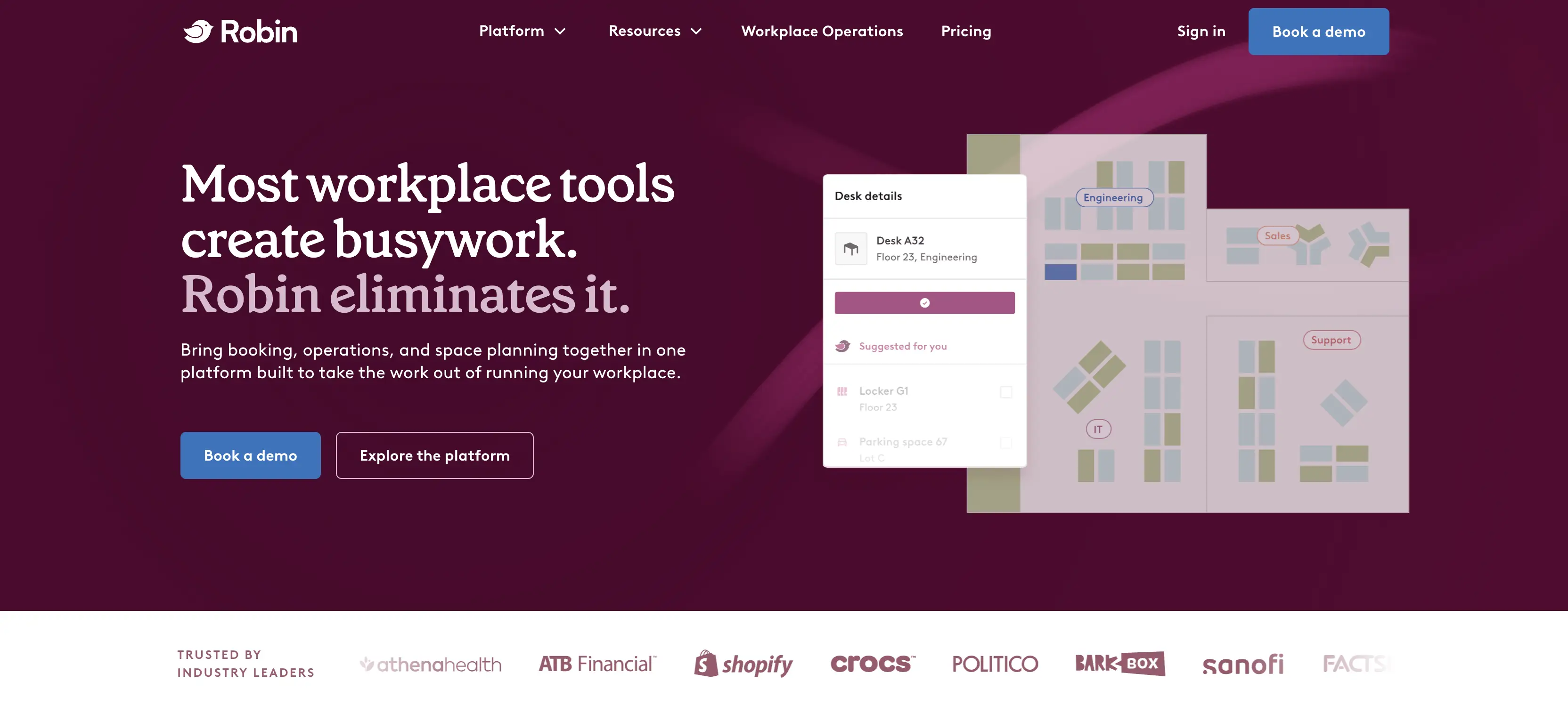
Robin at a Glance
Robin is a cloud-based workplace platform built for desk booking, room scheduling, visitor management, and space analytics, aimed primarily at mid-market and enterprise organizations managing multiple office locations. It holds a 4.4/5 rating on G2 across hundreds of reviews, and reviewers consistently rate its interface, calendar integrations, and analytics depth well.
Robin doesn’t publish pricing publicly - every quote is customized through a sales conversation. But independent pricing-benchmark data from Vendr, based on anonymized transaction data, gives a rough per-employee range:
- $3–5/employee/month for basic desk and room booking
- $5–8/employee/month once visitor management and enhanced analytics are added
- $8–12+/employee/month with custom integrations and dedicated support
In terms of actual deal size, Vendr’s data shows buyers with 200–500 employees commonly land at $15,000–$40,000 in total annual contract value, while larger deployments of 1,000+ employees can reach $60,000–$120,000+ depending on scope and add-ons.
Overall, Robin is genuinely a right choice for large, multi-site enterprises with a dedicated workplace operations function that needs deep scenario planning, portfolio-level space analytics, and the budget and internal capacity to manage a fully custom-configured platform. That’s not a hedge - several of the strongest Robin reviews we read came from exactly this profile of organization.
Why Companies Look for Robin Alternatives in 2026
Four complaint patterns come up often enough across independent Robin reviews on G2 and Capterra to be worth naming: pricing, support responsiveness, usability bugs, and platform complexity.
Pricing That’s Difficult to Justify Against the Experience
Because every Robin quote is custom, buyers can’t sanity-check a number before a sales conversation, and that friction shows up directly in reviews. As Facility Manager in the construction industry, put it plainly on Capterra, “the product falls short due to price point”. A separate G2 reviewer was more direct, describing the platform as “too expensive for what it does”.
Support Response Times That Lag the Price Tag
Support response time is the second most consistent complaint. An Administrative Assistant at a religious organization, writing on Capterra, said the scheduling software wasn’t user-friendly for her team and that she had to contact support repeatedly, with some issues left unresolved or triggering new ones. Multiple separate G2 reviewers echo this, describing support as slower than expected given Robin’s enterprise-level pricing.
An Accumulation of Small Usability Bugs
No single complaint here is severe on its own, but the volume adds up for an admin running the platform daily. Reviewers point to small but recurring issues - display settings not behaving as configured, dashboard data that occasionally lags reality, and booking conflicts through calendar integrations like Outlook. Several reviewers suggest Robin would be stronger with fewer features executed well rather than a broad set where some tools underperform.
Complexity That Turns Simple Changes Into Projects
The fourth pattern is less about individual bugs and more about the platform’s overall footprint. Robin is built as a comprehensive workplace management system, and that comprehensiveness comes with real administrative weight. Reviewers and comparison analyses consistently describe it as harder to configure and maintain than simpler tools.
Floor plan editing is a clear example: changing a seating layout or updating an office map often can’t be done in-house and instead requires going back to Robin’s own team, turning what should be a same-day change into a multi-day wait. That’s a real problem during office moves or renovations, when layouts need to change quickly and repeatedly.
7 Best Robin Alternatives
- YAROOMS - best Robin alternative for organizations of any size that want fast, low-friction adoption across the whole workforce, transparent pricing they can evaluate without a sales call, and an AI agent built into tools employees already use daily.
- Kadence - good choice for hybrid teams that want visibility into who’s coming into the office and when, AI-assisted booking suggestions, and onboarding that doesn’t require heavy IT involvement.
- Skedda - great fit for teams that need complex, highly customizable booking rules and frequent floor plan changes, without paying more as headcount grows.
- elia - optimal choice for smaller or budget-conscious teams looking for a free starter plan, software and hardware from the same provider, and easy adoption.
- Archie - the right fit for coworking or flex-space operators, and teams that want a strong balance of price, features, and ease of use.
- Microsoft Places - best for Microsoft 365-committed organizations that want office coordination and desk/room booking built directly into Outlook and Teams, without adopting a separate platform.
- Dibsido - best for smaller or budget-conscious teams that want fast, simple desk, room, and parking booking, with a genuine free tier to start.
1. YAROOMS
YAROOMS is a complete workplace management platform built for easy, organization-wide adoption, backed by deep integrations and AI.
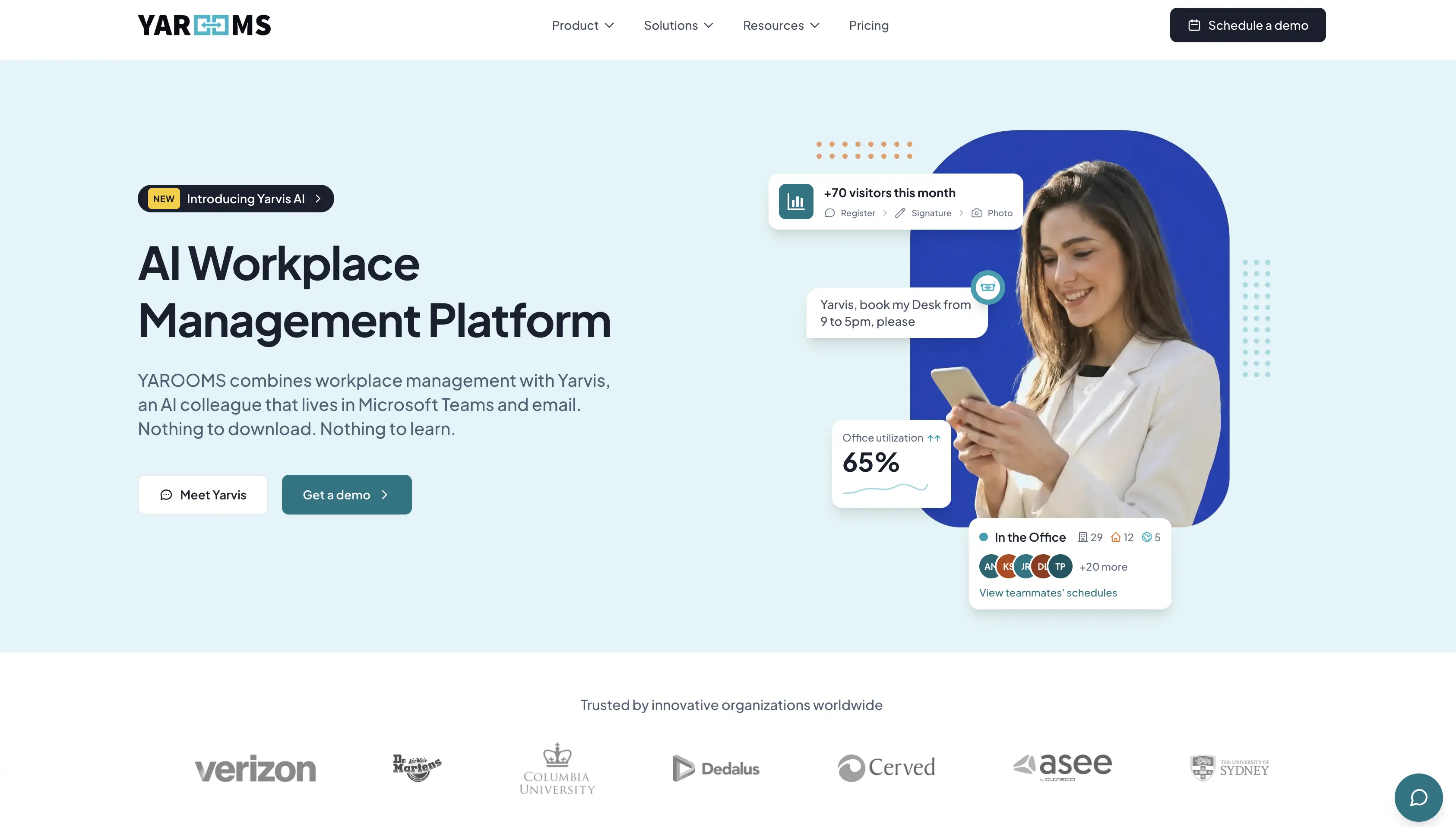
Key YAROOMS features:
- Desk reservations, meeting room, parking, and services (catering, equipment, etc.) booking.
- Interactive office maps with live availability
- Yarvis, an AI agent that handles natural-language booking natively inside Microsoft Teams and email + YAROOMS MCP server
- Modern employee mobile app
- Hybrid work scheduling calendar
- Visitor management: custom registration flows, host notifications, digital reception app
- Workplace analytics: space utilization, attendance, hybrid work patterns, heat maps
- Meeting room signage and digital desk signs
Pricing transparency: Public. Tiers are listed on YAROOMS pricing page rather than gated behind a sales conversation.
Certification and compliance stack: YAROOMS is SOC 2 Type II, ISO 27001, ISO 27701, ISO 9001, ISO 14001, GDPR compliant.
Integrations: Microsoft Teams, Microsoft 365/Outlook, Google Calendar, Azure AD, API access.
User ratings: G2: 4.3/5. Capterra: 4.6/5. In 2026, YAROOMS earned the Most Rated for Enterprise distinction for Visitor Management software by Software Advice.
YAROOMS advantages over Robin:
- Seamless adoption - Yarvis AI agent can run natively inside Microsoft Teams and email, no separate app to download or learn
- Richer hybrid visibility - team scheduling calendar and colleague visibility included as core features
- Complete visitor management - photos, analytics, custom registration flows, and digital reception, available at $99/month
- Transparent, flat pricing - published tiers starting at $99/$399/$899/month
- Lower administrative overhead for teams that don’t need enterprise-scale space-portfolio planning
YAROOMS trade-offs versus Robin:
- Less depth on enterprise-scale scenario planning, move management, and multi-site portfolio analytics, where Robin is purpose-built
- Some users note occasional lag in real-time updates, and describe the mobile experience as not always frictionless on the go
Choose YAROOMS if:
- Robin’s pricing process feels opaque and you want costs you can check upfront
- Robin’s administration is heavier than your team size warrants
- You want a platform your whole team can use without a steep learning curve
Choose Robin if:
- You’re a large, multi-site enterprise with a dedicated workplace operations function
- You need genuine portfolio-level space planning
2. Kadence
Kadence is a hybrid workplace platform focused on making in-office coordination visible and predictable, backed by AI-assisted booking suggestions.
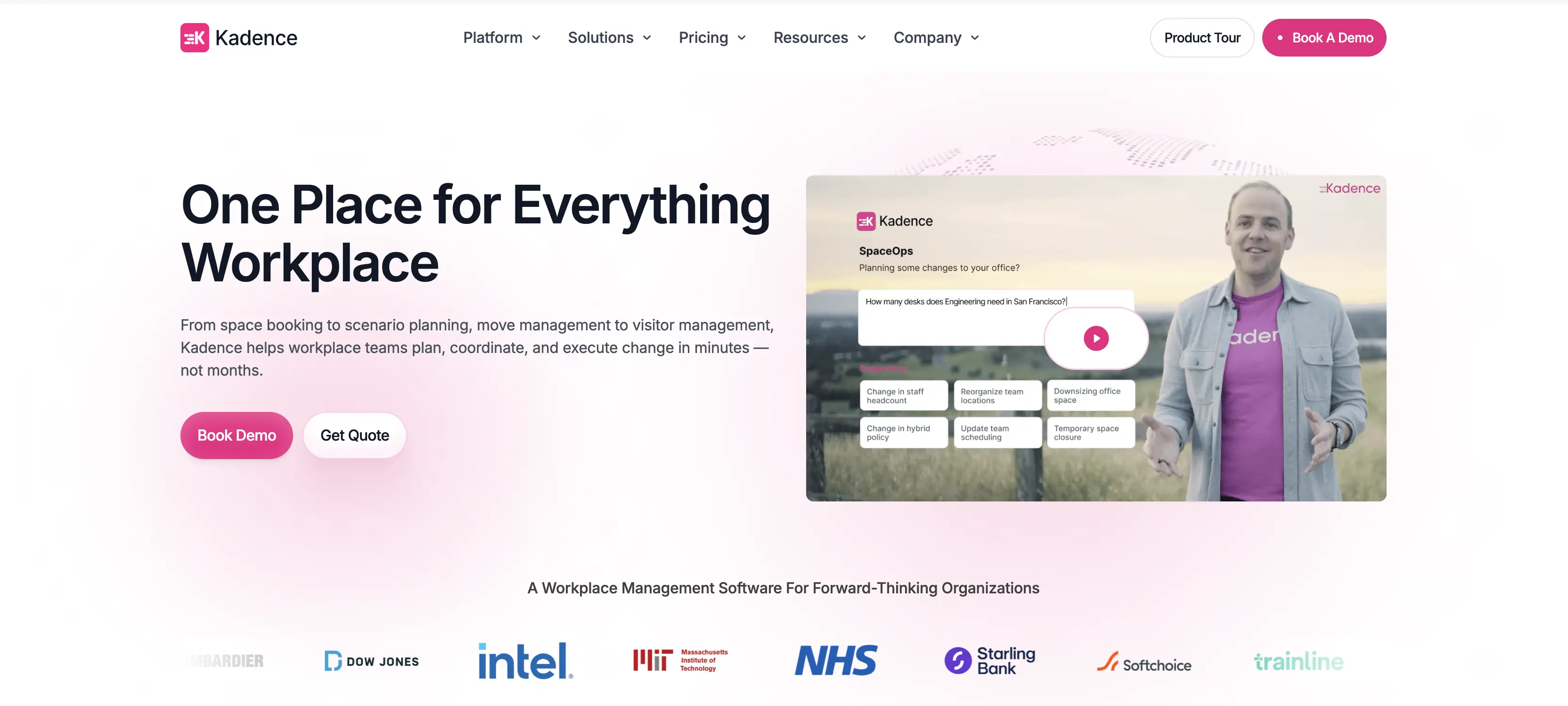
Key Kadence features:
- Desk and room booking via interactive floor plans, with visibility into which colleagues are booked in and when
- Kadence AI agent for space booking, team availability, and visitors
- Visitor management system
- Workplace occupancy analytics
- Scenario planning to optimize space decisions
Pricing transparency: Mixed. Kadence historically started around $4 per active user/month for its Plus tier, but at the moment of writing (July 2026), both WorkOps and SpaceOps plans are quote-only. Billing is based on active users rather than total headcount, which can lower costs for organizations where not everyone books regularly.
Certification and compliance stack: SOC 2 compliant, Cyber Essentials certified, GDPR and CCPA compliant. Kadence also states its infrastructure partners are SOC 2 compliant and ISO 27001 certified.
Integrations: Microsoft Teams, Slack, Google Workspace, Outlook, Azure, Okta, and more (HR systems, SSO providers, ticketing tools), plus a public API.
User ratings: G2: approximately 4.5/5. Capterra: 4.6/5.
Kadence advantages over Robin:
- AI booking assistant built directly into Slack and Teams
- Active-user billing - pay only for employees who actually book space, rather than full headcount
- Fast, self-serve onboarding - reviewers consistently describe getting live within days with minimal IT involvement
- Broader HR and ticketing systems’ integration library, including Workday, BambooHR, Zendesk, Jira, etc.
Kadence trade-offs versus Robin:
- Less depth on enterprise-scale portfolio and lease-scenario planning than Robin
- Some reviewers report inconsistent Kadence adoption, with no built-in way to enforce usage
Choose Kadence if:
- You want AI booking suggestions in Slack or Teams
- You’d rather pay only for employees who actively use the platform
- You need integrations with HR and ticketing systems
Choose Robin if:
- You need more mature, enterprise-scale space-planning and analytics depth
- You’d rather negotiate one comprehensive quote than manage active-user billing
3. Skedda
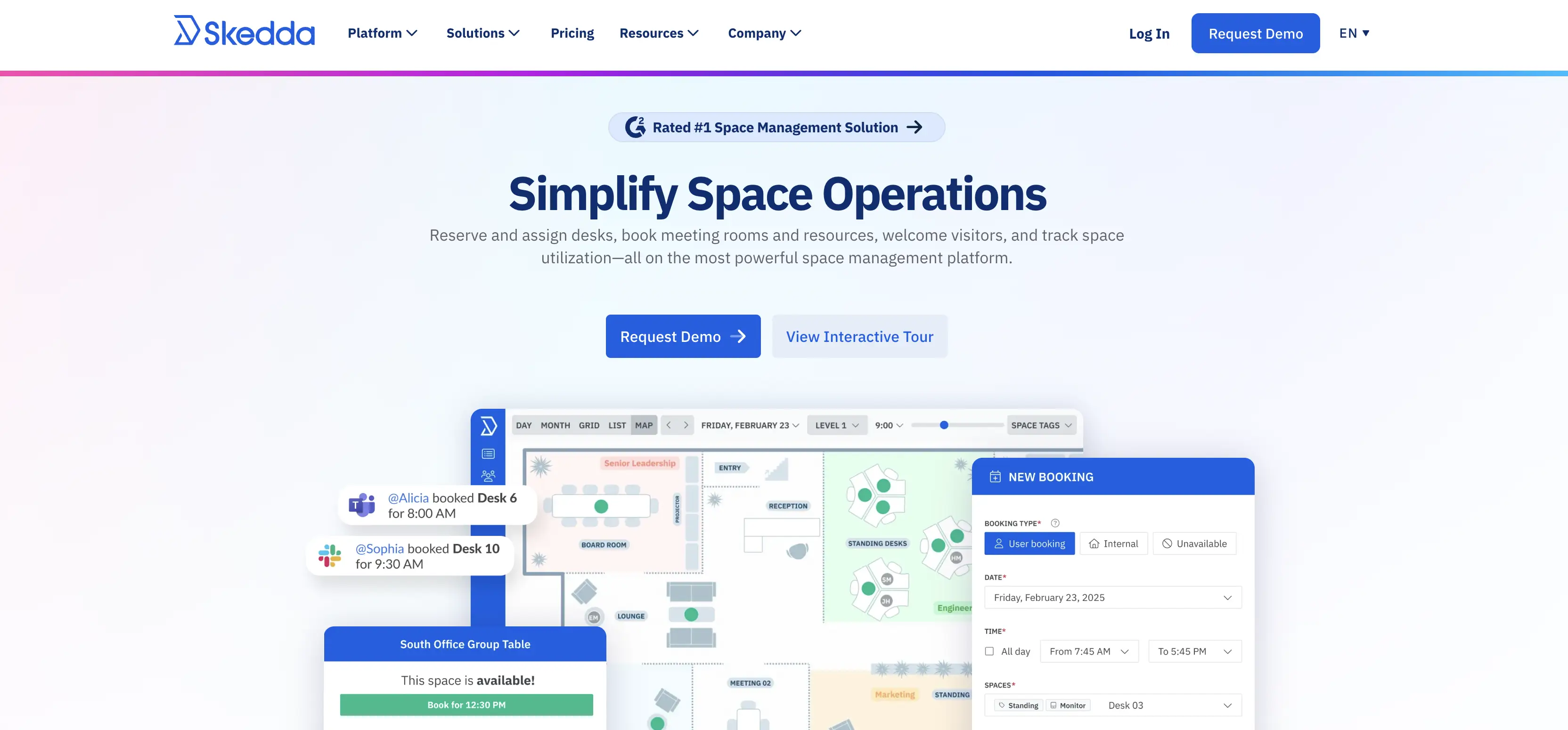
Skedda is a workplace booking platform best known for its strong, customizable booking rules.
Key Skedda features:
- A highly customizable booking rules engine covering quotas, buffer times, conditions, approvals, and zone restrictions
- Interactive floor plans built by Skedda’s team, with unlimited edits included at no extra cost
- Workplace analytics and occupancy tracking
- Custom space types beyond desks and rooms, including parking, labs, lockers, and equipment
- Simple and secure visitor management
Pricing transparency: Public. Tiers and per-space rates are listed on Skedda’s pricing page, with Starter plan starting at $99/month per space (billed annually).
Certification and compliance stack: SOC 2 Type 2 and Type 1 certified, GDPR compliant with a dedicated compliance policy and incident response plan.
Integrations: Microsoft 365, Teams, Google Workspace, Slack, Zoom, Okta, and more (identity providers, finance tools, room hardware), plus Zapier and webhooks.
User ratings: G2: 4.8/5. Capterra: 4.8/5.
Skedda advantages over Robin:
- A deeper, more customizable booking rules engine, with quotas, buffers, and approval conditions included standard
- Per-space pricing instead of per-employee, so cost doesn’t scale with headcount you don’t actually book
- Unlimited floor plan edits included, rather than routed through a vendor services team
Skedda trade-offs versus Robin:
- No AI-assisted natural-language booking
- Limited hybrid team coordination - no calendar to see who’s planning to be in office or coordinate in-office days, which Robin offers
- Skedda’s reporting is more basic, better suited to simple tracking than deep analytics
Choose Skedda if:
- Complex booking rules (quotas, buffers, approval conditions) are central to how your spaces need to be managed
- You want cost to scale with the spaces you manage, not your total headcount
- You intend to modify the floor plan regularly and don’t want to route every change through a vendor
Choose Robin if:
- AI-assisted scheduling and predictive booking are a top priority
- You need native HRIS integrations beyond directory sync
- You need a more comprehensive hybrid work scheduling layer and deeper analytics
4. elia
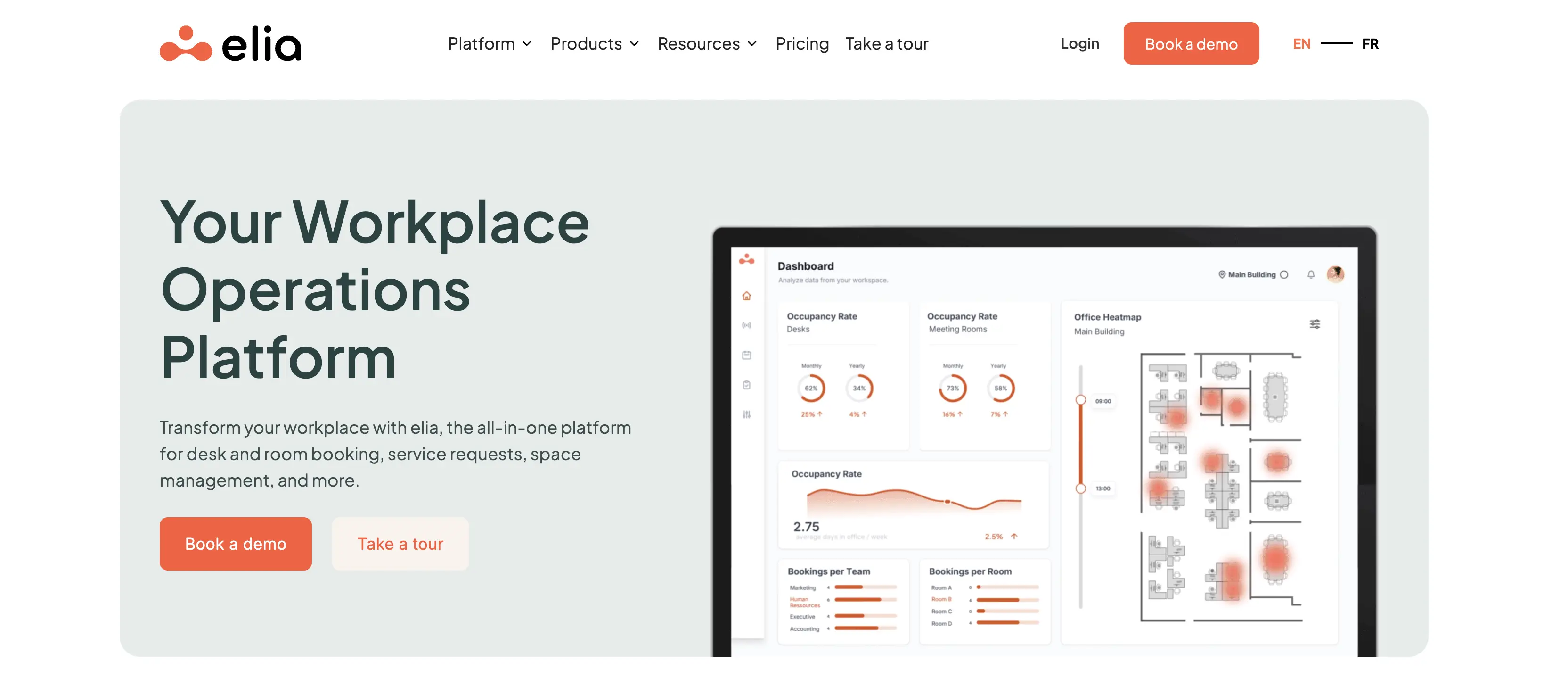
elia is an all-in-one workplace operations platform for desk and room booking, service requests, space management, and more.
Key features:
- Desk and meeting room booking
- Visitor management with electronic sign-ins and host notifications
- Health & safety management, including incident reporting and first-responder tracking
- Request management for centralizing service requests like IT support, catering, and maintenance
- Occupancy sensors and hardware (desk/room sensors, meeting room displays, touchscreen kiosks, smart lockers)
Pricing transparency: Public. elia is one of the two workplace management solutions on this list with a free tier (up to 50 places, unlimited users). Paid plans start from $500/month, Enterprise custom-quoted. Hardware sold separately.
Certification and compliance stack: ISO 27001:2022, ISO 9001:2015, GDPR compliant.
Integrations: elia natively integrates with Google Workspace, Microsoft 365, and Slack.
User ratings: Capterra: 4.7/5. G2: 4.5/5, though based on only one review, so it’s not a reliable signal yet.
elia advantages over Robin:
- A genuine free tier for smaller teams, versus Robin’s fully custom-quoted model with no free option
- Built-in health & safety and service-request management
- A native hardware lineup (sensors, kiosks, meeting room displays), letting teams source hardware and software from one vendor
- Native bilingual (English/French) support, a genuine advantage for organizations with Francophone teams
- Reviewers describe near-zero training time to reach full adoption
elia trade-offs versus Robin:
- Smaller, less established review base than Robin’s, with less independent validation at scale
- Some users report that utilization and attendance statistics aren’t always fully reliable, occasionally producing figures that don’t match what’s actually happening on-site
Choose elia if:
- You want to start free or low-cost and scale place-based pricing predictably as you grow
- You’d rather source hardware (sensors, kiosks, displays) from the same vendor as your software
- Your priority is near-instant adoption without formal training
Choose Robin if:
- You need more accurate, dependable utilization and attendance analytics
- You need a larger, more established review base to help build internal buy-in from leadership
- Your organization has minimal bilingual/French-language support needs, making elia’s differentiator less relevant
5. Archie
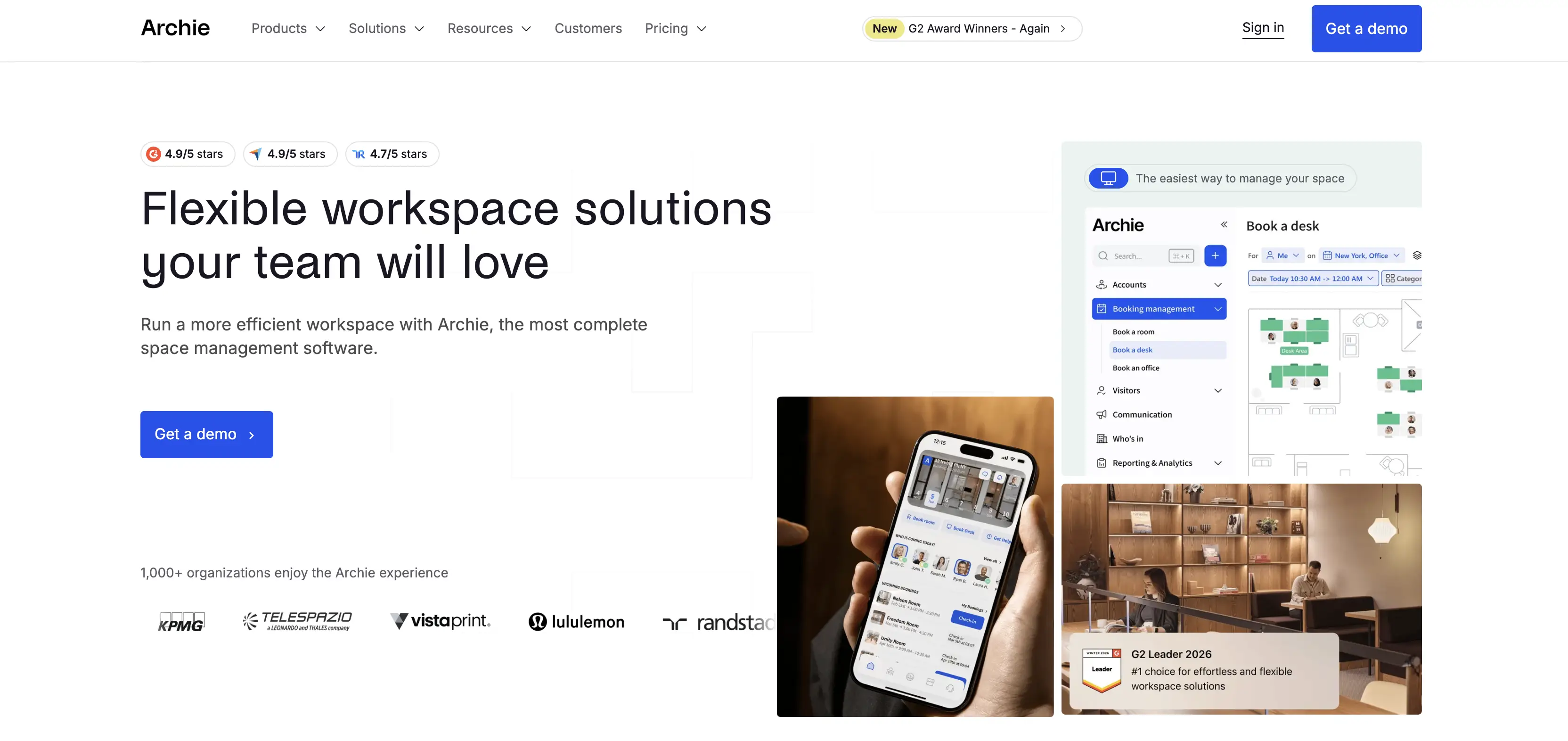
Archie is a workplace and coworking management platform popular with hybrid offices and flex-space operators.
Key Archie features:
- Desk and room booking with recurring bookings and permanent desk assignments
- Interactive floor plans with one-click booking
- Hybrid work schedule calendar
- Neighborhood zoning for team-specific collaboration areas
- Visitor management with touchless, QR-code check-in
- Coworking software (CRM, billing and payments, analytics)
Pricing transparency: Public. Archie splits pricing by module - Desk booking, Room scheduling, Visitor Management, and Coworking - with rates for each listed openly on Archie’s pricing page.
Certification and compliance stack: No named certifications (SOC 2, ISO) published. Archie states data is hosted on Google Cloud Platform with encryption and is “continuously improving our certifications,” but names none specifically.
Integrations: Microsoft Teams, Slack, Google Calendar/Workspace, Outlook, Zoom, and more (door access like Kisi and Salto, accounting via QuickBooks and Xero, payments via Stripe, SSO/SCIM), plus an open API.
User ratings: G2: 4.9/5. Capterra: 4.8/5.
Archie advantages over Robin:
- Per-space pricing instead of per-employee, so cost tracks the spaces you manage, not total headcount
- Strong price-to-value balance compared to what you get with Robin
- Easy to use, with reviewers describing near-zero training time to get the whole team booking
- A dedicated coworking module is a natural fit if you run a workspace like that
Archie trade-offs versus Robin:
- No AI-powered booking or analytics features, where Robin has invested more heavily
- No named security certifications (SOC 2, ISO) published, which can slow down procurement for security-conscious buyers
- Room bookings cost substantially more than desks, adding up quickly for meeting-room-heavy offices
Choose Archie if:
- You want cost to scale with the spaces you manage, not your total headcount
- You run a coworking space
- You’re looking for a good balance between price, features, and experience
- You only need one or two modules - like desk booking alone - and don’t want to pay for a bundled suite
Choose Robin if:
- AI-powered booking and analytics are a priority
- Formal security certifications are a procurement requirement
- Meeting rooms make up a large share of your bookable spaces
- You want a vendor with a longer track record at enterprise scale, backed by a larger base of reviews and deployments
6. Microsoft Places
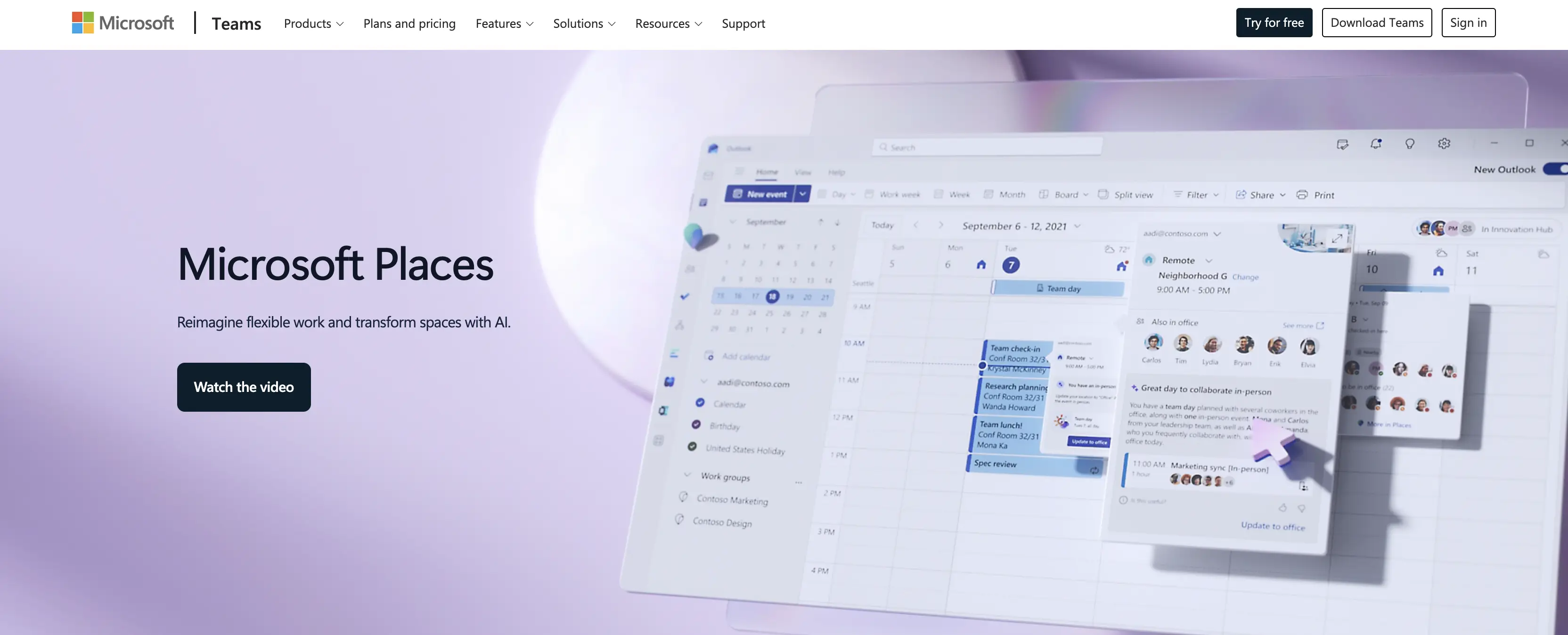
Microsoft Places is Microsoft’s workplace coordination layer, built directly into Outlook and Teams rather than sold as a standalone platform.
Key Microsoft Places features:
- Desk and room booking via Outlook, Teams, and the Places app, with interactive floor maps
- Work plans showing who’s coming into the office and when
- Auto check-in via peripheral pairing when plugging into a registered monitor
- Configurable desk modes (reservable, drop-in, assigned) with auto-release of unclaimed desks
- Occupancy analytics comparing planned attendance against actual usage
- Admin portal for managing buildings, floors, and desks
Pricing transparency: Microsoft Teams Enterprise at $8.55/license/month (annual, auto-renews). One license covers up to 4 desks plus one extra space (room, phone, panel, or hotdesking device), including bookable desks, shared-use Teams mode, and desk-level analytics.
Certification and compliance stack: Not certified as a standalone product. Places runs on Exchange and Microsoft 365 infrastructure, so it inherits Microsoft’s enterprise compliance program.
Integrations: Native to Microsoft 365.
User ratings: No established standalone G2 or Capterra listing, since Places is bundled into Microsoft 365 and Teams rather than sold and reviewed as an independent product.
Microsoft Places advantages over Robin:
- Lives natively inside Outlook and Teams, so there’s no separate app for employees to learn or adopt
- Per-space licensing ($8.55/month per 4 desks + 1 space) can cost meaningfully less than Robin’s per-employee model for organizations with far more employees than bookable desks
Microsoft Places trade-offs versus Robin:
- No native visitor management while Robin includes it out of the box
- A limited rules engine, missing buffer rules, conditions, quotas, tag-based permissions, and approvals, with configuration handled entirely by the IT team
- No native occupancy sensors or hardware; sensor integration and floor-plan conversion (often through a paid partner) fall on the organization
- Built for Microsoft 365 environments specifically - value drops sharply for organizations on mixed toolsets
Choose Microsoft Places if:
- Your organization is fully committed to Microsoft 365
- You mainly need coordination and room/desk pool booking, not visitor management or hybrid work schedules
- Having IT own configuration and booking rules is an acceptable trade-off
Choose Robin if:
- You need a complete workplace management platform, not just a booking engine
- You want workplace or facilities teams to manage floor plans and booking rules directly, without routing through IT
- Your organization isn’t fully Microsoft-native, or mixes in Google Workspace and other platforms
7. Dibsido
Dibsido is a lightweight desk, room, and parking booking app built for fast rollout, with a free tier for smaller teams.
Key Dibsido features:
- Desk, parking, and meeting room booking, all bookable in one click from Microsoft Teams, Slack, or the Dibsido app
- Interactive maps for desks, parking, and meeting rooms
- Native mobile apps (iOS and Android)
- Support for 11 languages
Pricing transparency: Dibsido offers a 14-day free trial with access to all features, then splits pricing by module - Desk booking, Parking booking, Room booking, and All-in-One - similar to Archie’s structure. A free tier is also available for up to 20 places.
Certification and compliance stack: Limited public information. Dibsido’s privacy policy confirms GDPR compliance, including data processing agreements with subcontractors, but no named certifications are published.
Integrations: Microsoft Teams, Slack, Google Calendar, Microsoft Outlook, Microsoft Entra ID (Azure AD), SAML 2.0, Google Workspace SSO, plus an open API for custom connections.
User ratings: G2: 4.9/5. Capterra: 4.7/5.
Dibsido advantages over Robin:
- A genuine tier for up to 20 users, versus Robin’s fully custom-quoted model with no free option
- Setup in minutes with no IT project required, versus Robin’s reported lengthier onboarding for larger organizations
- Simplicity and ease of use, a correct match for smaller teams
Dibsido trade-offs versus Robin:
- No AI-assisted booking or analytics, where Robin has invested more heavily
- Every bookable resource - desks, rooms, parking spots - counts toward plan limits, so costs can climb faster than expected as offices add resource types
- Thinner admin controls and reporting depth for large, complex deployments than Robin offers
- No named security certifications, making it a poor fit for companies in more strictly regulated industries like banking or government
Choose Dibsido if:
- You want a free tier to start, or predictable, low per-user or per-desk pricing
- You’d rather roll out fast without an IT project than get deep admin or reporting features
Choose Robin if:
- You need deeper admin controls and enterprise-scale reporting
- AI-assisted booking and analytics are a priority
- Your industry’s compliance requirements call for formal security certifications
Switching From Robin: What to Expect
Regardless of which Robin’s alternative a team chooses, a few friction points show up consistently in migrations off any established workplace platform:
- Floor plan recreation - office layouts, desk assignments, and room configurations typically need to be rebuilt in the new system, and this is usually the most time-consuming part of a migration.
- Integration reconnection - calendar sync (Outlook, Google Calendar), SSO, and any sensor or access-control integrations need to be reauthorized and tested.
- User retraining - even a straightforward interface needs a short adjustment period; a rollout announcement plus one or two live sessions typically covers it.
- Data export - confirm what historical booking and analytics data Robin will export before cancellation, since some usage history may not transfer cleanly to a new platform.
The scale of these friction points depends heavily on company size and industry.
A small, single-office team (under 200 people, one location, standard Microsoft or Google setup) usually clears all four points in under two weeks, since there’s one floor plan to rebuild and few integrations to reconnect.
A large, multi-site enterprise (1,000+ employees, several locations, legacy sensors or access-control systems, and stricter data or compliance requirements) faces the same four friction points at a much larger scale, often running the switch as a phased, site-by-site rollout rather than a single cutover.
Most organizations complete a full migration in two to four weeks from kickoff to cutover, with floor plan recreation and integration setup as the main time drivers.
If your Robin contract is up for renewal, we’d recommend starting the evaluation at least 60 days out for a single-office team, or 90 to 120 days out for a multi-site enterprise, so there’s enough runway to migrate cleanly before the license lapses.
Frequently Asked Questions: Best Robin Alternatives
Is Robin’s Pricing Transparent?
No. Robin requires a custom quote for every plan. Independent pricing-benchmark data (Vendr) places per-employee costs on a sliding scale that increases with headcount and selected modules.
What’s the Most Common Complaint About Robin?
Pricing-to-value is the most frequently repeated theme in independent reviews, usually paired with complaints about support response times or a pattern of minor interface bugs.
Is YAROOMS Cheaper Than Robin?
YAROOMS publishes flat pricing starting at $99/month. Because Robin’s pricing is custom-quoted and typically per-employee, a direct comparison depends on your headcount and required modules - but YAROOMS’ flat tiers avoid the linear cost increase that comes with per-employee pricing as a team grows.
How Long Does Switching From Robin Typically Take?
Most migrations complete in two to four weeks, with floor plan recreation and integration setup as the main time drivers.
Workplace of the future. Today.
See how YAROOMS integrates with Microsoft 365 to create a seamless workspace booking experience.