
6 Deskbird Alternatives to Consider in 2026
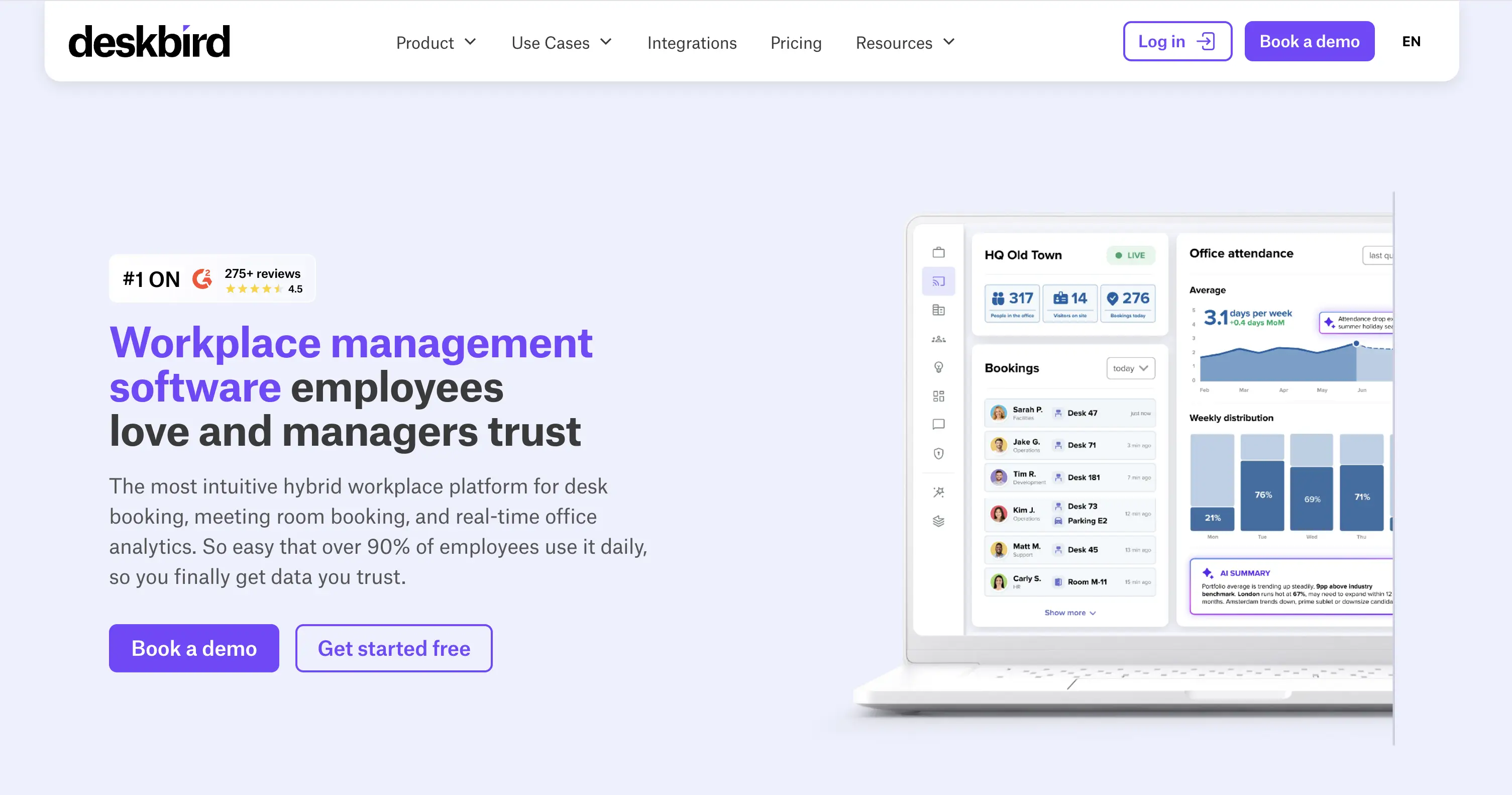
deskbird is known for being simple to use, and that reputation is deserved. The Swiss-founded workplace management platform describes itself on Capterra as “ridiculously easy… so simple a child could use it.” Investors believe it too: deskbird raised a $23M Series B in 2025.
Users agree, for the most part. But read enough deskbird reviews, and some negative patterns keep showing up. A mobile app that lags or glitches. Office usage reports that are hard to read. Settings administrators wish they could change but can’t.
None of that makes deskbird a bad tool. It just means being easy to use isn’t the same as covering everything an office needs. That gap is usually what sends teams looking for another solution.
So we did the legwork and rounded up 6 deskbird alternatives worth considering in 2026.
Here’s a comprehensive comparison table based on the finalized profiles:
| Platform | Starting Price | Pricing Model | Standout Feature | Compliance | G2 / Capterra | Best For |
|---|---|---|---|---|---|---|
| deskbird | €2.75/user/mo (Business) | Per active user | Agentic Workplace (Copilot connection) | SOC 2 Type 2, ISO 27001, GDPR | 4.5 / 4.7 | Teams-first offices wanting published pricing and self-service floor plans |
| YAROOMS | $99/mo (Starter) | Per location + user-band | Yarvis AI native in Teams | SOC 2 II, ISO 27001, 27701, 9001, 14001, GDPR | 4.3 / 4.6 | High desk sharing ratios, regulated industries, Teams-native adoption |
| Officely | $2.50/user/mo (desks only) | Per user, per product (desks/rooms/parking sold separately) | Lives entirely inside Slack | Relies on Slack/Teams' built-in security | 4.6 / 4.8 | Small, Slack-first teams on a tight budget |
| Kadence | Not published | Active users (billed monthly) | SpaceOps scenario/portfolio planning | SOC 2, Cyber Essentials, GDPR/CCPA | ~4.5 / 4.6 | Long-term space planning alongside daily booking |
| Robin | Not published | Total headcount | Badge-based access control feeding analytics | SOC 2 Type 2, ISO 27001:2022, CSA STAR, GDPR | 4.4 / 4.7 | Large, multi-site enterprises with budget for deep analytics |
| Tactic | Custom (resource-based estimator) | Per resource (desks/rooms/locations), modular | Tessa AI (conversational booking) | SOC 2 Type I & II | 4.6 / 4.6 | Teams wanting AI-assisted booking without a bundled platform |
| Skedda | $99/mo (Starter, 25 spaces) | Per space | Granular booking rules engine | SOC 2 Type 1 & 2, GDPR | 4.8 / 4.8 | Space management specifically, high desk-sharing ratios |
deskbird alternatives: an overview
How We Evaluated These Alternatives (Plus a Disclosure)
We wanted this comparison to be useful, not just another feature checklist. So before picking alternatives, we looked at what actually matters once a team is using a platform day to day, not just what looks good on a pricing page.
To do that, we pulled from deskbird’s own website and technical docs, G2 and Capterra reviews, and Reddit community discussions. Then we checked every alternative on the same things, the kind of questions you’d ask a vendor on a call:
- Pricing model. How it’s structured, and what that means as your team grows.
- Integrations. Microsoft Teams and Google Calendar are the basics. We also checked calendar sync, SSO, and HRIS.
- Security and compliance. SOC 2, ISO 27001, GDPR, and similar.
- Reviews. What G2 and Capterra users say once the demo is over and the tool’s been in use for months.
One thing to know: YAROOMS is a deskbird competitor, and this is the YAROOMS blog. We’re not neutral here. But we’ve tried to keep it accurate: every price, feature, and rating below is current as of 2026, and every platform, ours included, gets its real downsides listed too.
deskbird at a Glance
What Is deskbird?
deskbird structures its platform around two layers:
Workplace Experience covers everything employees actually touch: desk booking, room and parking management, visitor check-in, workplace ticketing for facility requests, and digital signage showing live availability on office screens.
Workplace Intelligence is the data layer on top of that: space utilization analytics showing how each floor and zone gets used, office attendance tracking to turn trends into real estate decisions, and Agentic Workplace, a newer feature connecting deskbird to Microsoft Copilot and other AI tools.
Together, deskbird positions itself less as a single booking app and more as an AI-powered layer that runs the day-to-day office experience while turning usage data into decisions.
deskbird’s Integrations
deskbird is built natively into MS Teams, with support for Outlook, MS 365, Google Calendar, and Slack. It also connects to dozens of HRIS tools (Personio, BambooHR, Workday, Rippling) for syncing schedules, plus SSO via Okta, OneLogin, and Entra ID. In total, deskbird lists 200+ integrations, with an open API for anything else.
deskbird’s Security & Compliance
deskbird holds SOC 2 Type II, ISO 27001, and GDPR compliance.
How Much Does deskbird Cost?
deskbird has three pricing tiers, billed per active user, per month (as of July 2026):
- Business - €2.75/user/month, covers desk, room, and parking booking, mobile apps, check-ins, and MS Teams integration.
- Professional - custom pricing, adds advanced booking rules, analytics, and an AI floor plan designer.
- Enterprise - custom pricing, adds custom reporting, advanced data privacy, and a dedicated CSM.
Every tier includes unlimited desks, users, and locations, so cost scales with headcount, not office size. Add-ons like SSO/HRIS sync, room kiosks, and visitor management are available on any plan. A free trial is available too.
deskbird User Reviews
deskbird holds strong ratings: 4.5/5 on G2 and 4.7/5 on Capterra.
What reviewers like:
- The interface is intuitive enough that teams need little to no training
- Booking takes just a few clicks
- Outlook, Teams, and Slack integrations cut down on double bookings and app-switching
- The social office feed and office events features make hybrid coordination feel less transactional
What reviewers criticize:
- Mobile performance. The app can be slow to load, and some want more features available on mobile rather than desktop-only.
- Analytics clarity. Office usage data isn’t always easy to interpret, particularly reconciling different attendance and booking metrics.
- Customization. Limited flexibility around settings, layout, and branding, with some reviewers running a second tool alongside deskbird to cover the gap.
- Pricing. Per-user billing means a high employee-to-desk ratio adds up fast for some organizations.
Overall, deskbird fits companies that want a simple, fast-to-adopt desk booking tool with solid Microsoft and Slack integration, and whose desk-sharing ratio isn’t aggressive enough to make per-user pricing the deciding factor.
Why Companies Are Looking for deskbird Alternatives
No tool is perfect, and deskbird’s user base is upfront about where it falls short. These are the recurring gaps that come up most in the reviews:
- Mobile app lags behind desktop. The most common complaint: slow loading, occasional glitches, and features that only work on desktop. For a tool most people use on their phone, that’s a real gap.
- Usage data is hard to interpret. Attendance and booking numbers don’t always line up the way you’d expect, and some report terminology isn’t self-explanatory, so reviewers end up doing extra work to understand what the data means.
- Limited customization. Settings, layout, and branding options are more rigid than some teams need.
- Occasional calendar sync delays. A minor, less frequent issue, but one a handful of reviews mention.
- Per-user pricing adds up for larger offices. Since deskbird bills by active user rather than by desk, cost scales fastest for larger teams or high desk-sharing ratios.
None of these are dealbreakers on their own. But add them up, and you get a clear picture of why teams outgrow deskbird: one of these limits eventually gets in the way of daily work.
6 Top deskbird Alternatives in 2026
- YAROOMS - best deskbird alternative for mid-size to enterprise hybrid teams (especially in regulated industries like healthcare, finance, or government) that want predictable pricing as they scale and a Teams-native booking experience.
- Officely - best lightweight option for small, Slack or Microsoft Teams-first teams that just need simple space booking without paying for a full workplace platform.
- Kadence - best for organizations that need long-term space planning alongside everyday booking.
- Robin - best for large, established enterprises with the budget for deep analytics and a mature, feature-rich platform.
- Tactic - best for teams that want AI-assisted booking and flexible, pay-for-what-you-use pricing.
- Skedda - best for organizations focused mainly on space management, with fine control over booking rules.
1. YAROOMS
Note: since we’re the ones writing this comparison, we put ourselves first on the list for visibility. Past that, though, none of the platforms here (ours included) are ranked. They’re listed in no particular order, so it’s worth reading through the full list to get the complete picture of your deskbird alternatives.
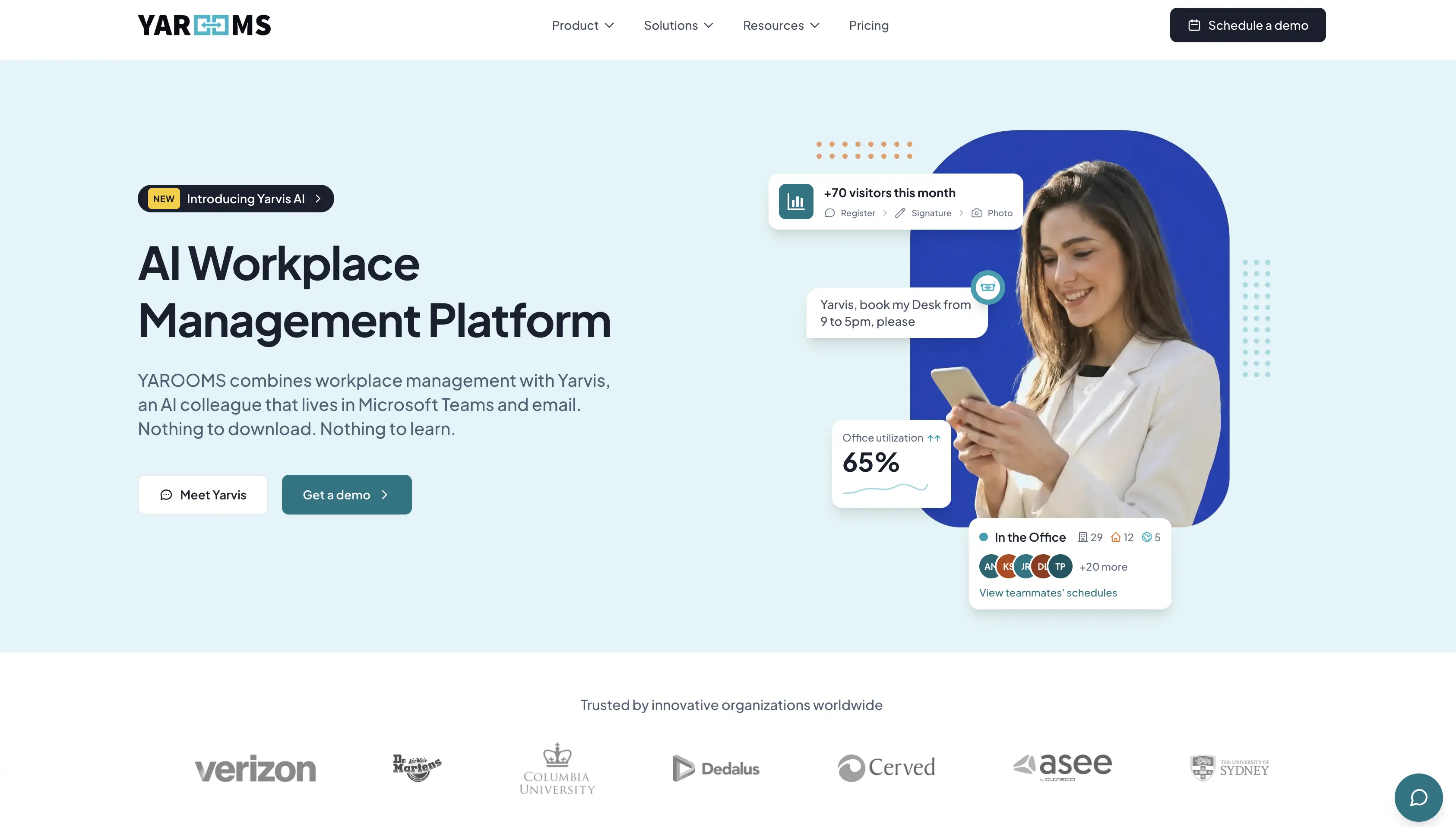
YAROOMS is a complete workplace management platform built for easy, organization-wide adoption, backed by deep integrations and AI.
Key YAROOMS features:
- Desk booking, meeting room reservations, and parking booking, with interactive floor maps showing live availability
- Workplace service requests (catering, equipment, etc.)
- Yarvis, an AI agent that handles natural-language booking natively inside Microsoft Teams.
- Hybrid work scheduling calendar with team visibility
- Visitor management system with custom registration flows, host notifications, and an optional digital reception add-on
- Workplace analytics: 90 days of history on Business, unlimited on Enterprise
- Meeting room signage, digital desk signs, and lobby displays
- Mobile app for iOS and Android
YAROOMS pricing:
- Starter - from $99/month for 10 users (up to 20 users on the plan). Covers 1 location and 2 floors mapped interactively, plus desk and room booking, hybrid scheduling, and room/lobby displays.
- Business - from $399/month. Expands to 2 locations and up to 200 users, and adds 90 days of workplace analytics, the Microsoft Teams app, Yarvis AI agent, SSO, and calendar sync.
- Enterprise - from $899/month. Scales to 5+ locations (with add-ons), unlimited users and analytics history, service requests, API access, custom integrations, and Azure/AWS/on-prem deployment.
Visitor management runs as its own line item at $99/location/month.
Security and compliance stack: SOC 2 Type II, ISO 27001, ISO 27701, ISO 9001, ISO 14001, GDPR compliant.
Integrations: Microsoft Teams, Microsoft 365/Outlook, Google Calendar, Google Meet, Zoom, Slack, Azure AD/SAML SSO, and API access (custom integrations on Enterprise).
User ratings: G2: 4.3/5. Capterra: 4.6/5. In 2026, YAROOMS earned the Most Rated for Enterprise distinction for Visitor Management software by Software Advice.
YAROOMS advantages over deskbird:
- Pricing that doesn’t scale with headcount. YAROOMS prices by location and user-band, not per active user, so a high desk-sharing ratio doesn’t push up the bill the way it can with deskbird.
- Adoption that barely feels like a new tool. Yarvis, the YAROOMS AI agent, runs natively inside Microsoft Teams, so people book a desk the same way they’d send a message, no separate app to download or learn.
- A mobile app built to keep up. Where deskbird reviewers point to lag and glitches on mobile, YAROOMS’ mobile app is built for that day-to-day use without the friction.
- A broader compliance stack. YAROOMS adds ISO 27701, ISO 9001, and ISO 14001 on top of SOC 2, ISO 27001, and GDPR.
- Deployment flexibility on Enterprise. Azure, AWS, or on-premises deployment is available for organizations with strict data residency needs, alongside the standard cloud option.
Where deskbird has the edge:
- HRIS depth. deskbird connects to dozens of HR systems (Personio, Workday, Rippling, and more). YAROOMS covers Microsoft, Google, Slack, Zoom, and SSO well, but not that same breadth on the HR side.
- A self-serve free trial. deskbird lets you try the Business plan directly; YAROOMS works through a scheduled demo instead.
Choose YAROOMS if:
- Your desk-sharing ratio means per-user pricing would cost more than it should
- You want your team booking desks inside Microsoft Teams itself, with no new app to roll out
- A dependable mobile experience matters more than a long list of HR integrations
- You need a broader compliance stack, or Azure/AWS/on-prem deployment for data residency
Choose deskbird if:
- You need one of the deepest HRIS integration libraries on the market
- You want to try the platform yourself through a self-serve free trial before talking to sales
- Workplace ticketing or digital signage across many screens are must-haves alongside desk booking
2. Officely
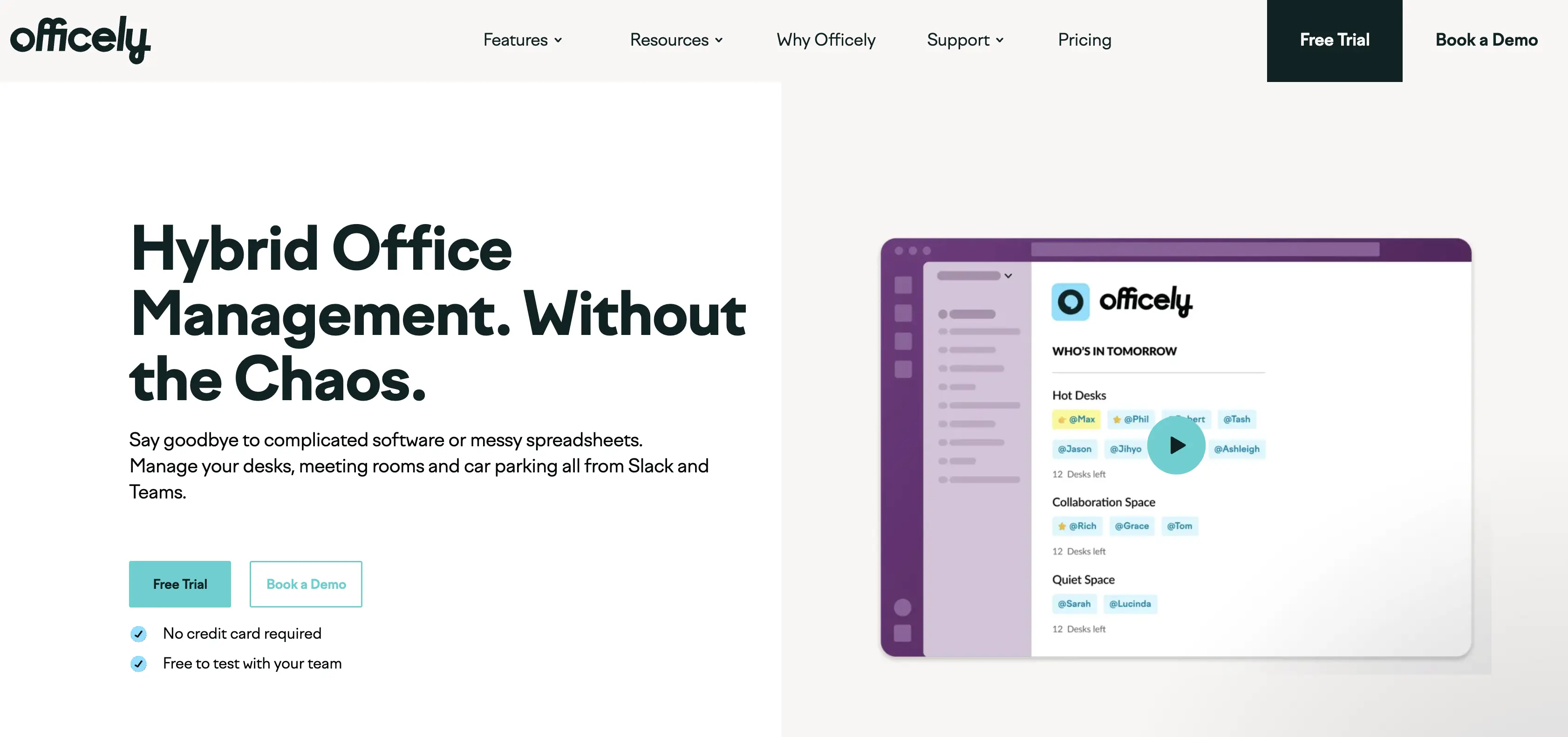
Officely is a lightweight hybrid office tool for booking desks, rooms, and parking, built to work entirely inside Slack and Microsoft Teams.
Key Officely features:
- One-click desk, room, or parking space booking from Slack or Teams, with automatic check-ins and no-show release
- “Who’s in” visibility - see which teammates are in the office, at a glance
- Office usage analytics - data on who booked, who showed up, and which space is underused
- Hybrid policy compliance tracking - logs attendance and flags gaps against your in-office policy automatically
- Smart office day suggestions - helps teams pick the best days to come in together
Officely pricing:
Officely’s pricing is actually split across three separate products, not one bundled plan:
- Officely (Desks) - free for up to 5 users, then starts at $2.50/user/month (Basic plan).
- Meeting Rooms - $12/space/month. No free trial.
- Parkly (parking) - $15/space/month. No free trial.
So if you need all three, desk booking, room booking, and parking, you’re paying three separate line items, not one consolidated rate.
Security and compliance stack: Officely runs entirely inside Slack and Microsoft Teams, so it relies on their built-in security.
Integrations: Officely integrates primarily with HR and payroll systems - including BambooHR, Personio, Workday, Rippling, Gusto, HiBob, SAP SuccessFactors, and several regional European tools like Lucca, Silae, and PayFit - alongside core productivity and calendar tools like Slack, Microsoft Teams, Google Calendar, and Outlook.
User ratings: G2: 4.6/5. Capterra: 4.8/5.
Officely advantages over deskbird:
- A free tier - teams of 5 or fewer can use Officely’s desk booking at no cost.
- Lower per-user entry price. Simple desk booking starts at $2.50/user/month, undercutting deskbird’s Business tier at €2.75/user/month.
- Deeper Slack-native design. Where deskbird treats Slack as a secondary integration alongside its Teams-first app, Officely is built around Slack as the primary interface.
- Very fast setup. Officely advertises going live in about 10 minutes, since it installs directly into Slack or Teams with no separate account to create.
Where deskbird has the edge:
- More platform breadth. deskbird includes visitor management and workplace ticketing; Officely offers neither.
- One plan covers every space type. deskbird’s entry-level Business tier includes desk, room, and parking booking together, even though its per-user price is somewhat higher. Officely splits desks, meeting rooms, and parking into three separately priced products, so the full cost adds up once you need more than desks.
Choose Officely if:
- Your team already lives in Slack, and you want space booking to feel native to that
- You’re a small team that fits within the free tier, or want the lowest entry price for desk booking specifically
- You’d rather pay only for the space types you actually need, rather than one bundled plan
Choose deskbird if:
- You need desks, rooms, and parking covered under one plan, without separate line items for each
- Visitor management or workplace ticketing matter alongside desk booking
3. Kadence
Kadence is an AI-powered workplace platform that helps teams plan, coordinate, and execute space changes, from desk booking to scenario planning.
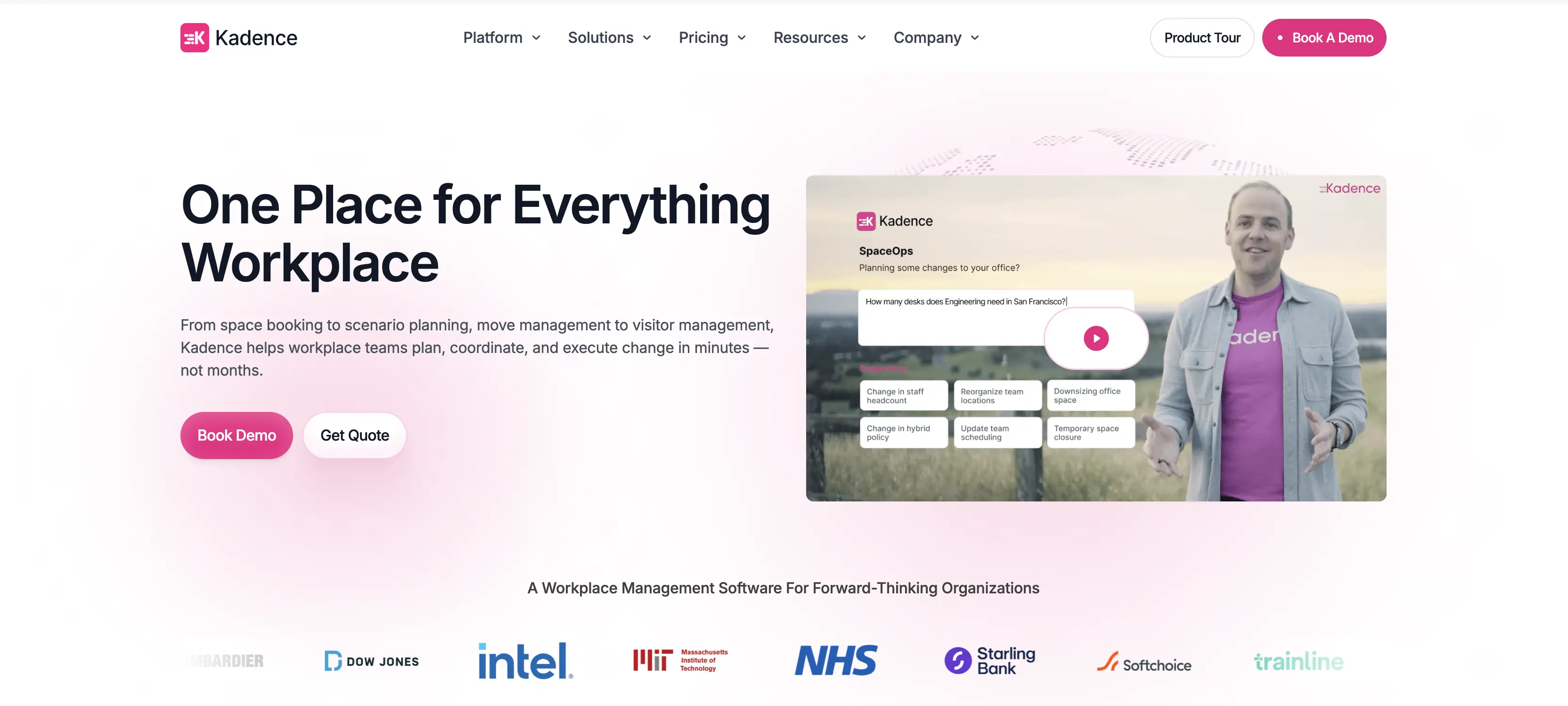
Key Kadence features:
- Interactive floor plans for desk and room booking, showing which colleagues are booked in and when
- An AI agent that handles space booking, team availability, and visitor coordination
- Visitor management
- Occupancy analytics
- Scenario planning tools for space and portfolio decisions
Kadence’s pricing:
At the moment of writing this guide (July 2026), Kadence doesn’t publish prices. Both of its plans, WorkOps (day-to-day booking) and SpaceOps (space planning), require a custom quote. There’s also a separate $250-per-floor fee to set up floor plans. Billing is based on active users, so you only pay for people who actually book something that month, not your full headcount. Contracts run annually, with a 1-year minimum.
Security and compliance stack: Kadence is SOC 2 compliant, Cyber Essentials certified, and GDPR/CCPA compliant, with data encrypted both in transit and at rest.
Integrations: Kadence connects mainly to Microsoft Teams and Slack, plus calendars (Google, Outlook), SSO (Okta, Azure), HR systems (BambooHR, Workday), and ticketing tools (Zendesk, Jira). A public API covers the rest.
User ratings: G2: ~4.5/5. Capterra: 4.6/5.
Kadence advantages over deskbird:
- Scenario and portfolio planning. SpaceOps handles stack planning, move management, and occupancy modeling, real estate decisions deskbird’s platform doesn’t cover.
- A published 99.9% uptime SLA, a contractual uptime guarantee deskbird doesn’t appear to publish.
Where deskbird has the edge:
- Transparent pricing. deskbird publishes a Business-tier rate and offers a self-serve free trial; Kadence’s plans are entirely quote-based, with no published starting price.
- Built-in workplace ticketing. deskbird includes this natively rather than relying on integrating an external tool.
- Broader integrations library (200+ total), with real depth on the HR side.
- No separate setup fee. deskbird doesn’t charge extra for floor plan setup, while Kadence’s $250-per-floor fee is a cost some teams weren’t expecting, and it’s often what sends them looking at Kadence alternatives.
Choose Kadence if:
- Long-term space planning matters as much as day-to-day booking, SpaceOps covers scenario modeling, stack planning, and moves that deskbird doesn’t
- You want a contractual uptime guarantee in writing, not just an assumed baseline
Choose deskbird if:
- You want to see a real starting price and try the platform yourself through a free trial, rather than going through a sales quote
- Built-in workplace ticketing matters to you
- You need deep HR-system integrations or want to avoid a per-floor setup fee
4. Robin
Robin is an enterprise workplace platform built around planning, managing, and using office space, with AI-driven suggestions layered across booking, analytics, and employee experience.
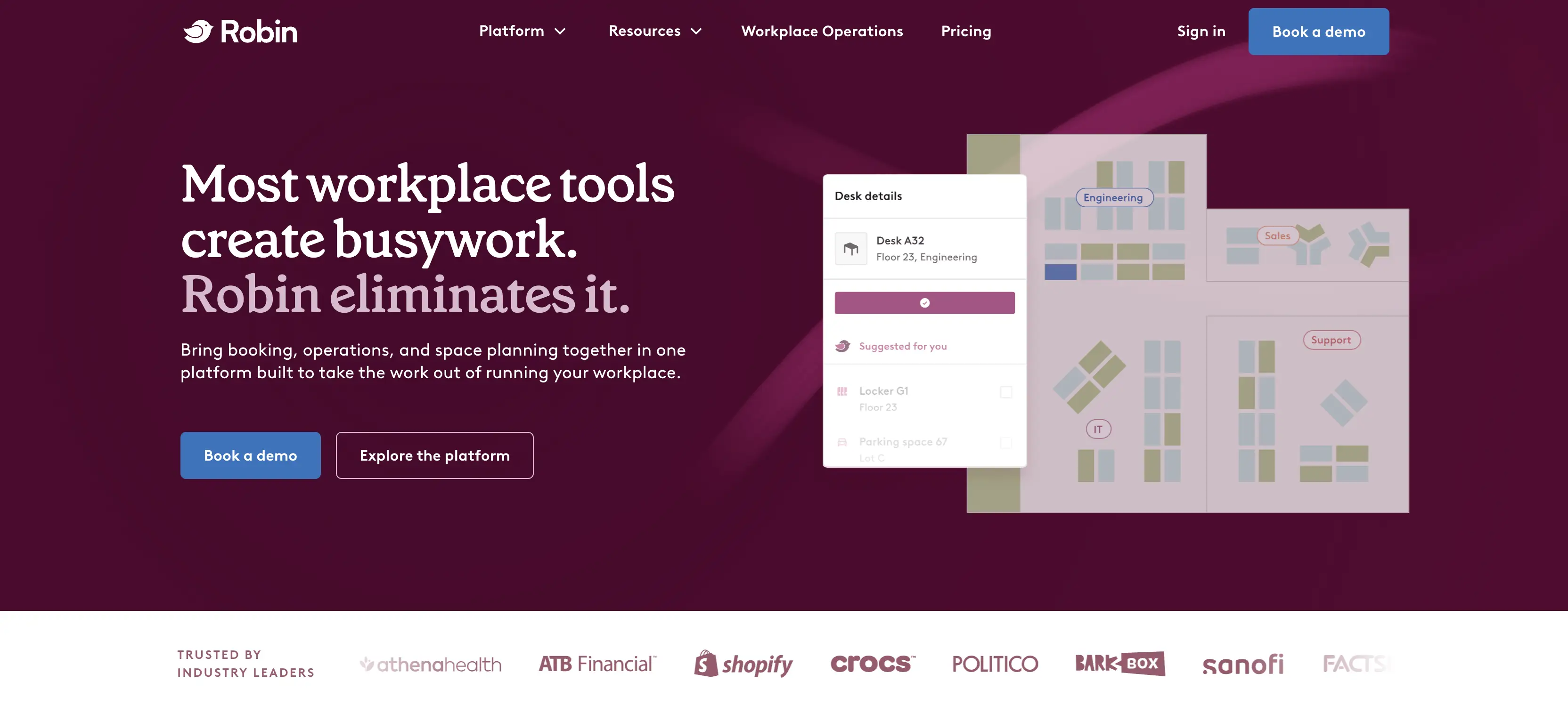
Key Robin features:
- Desk and room booking through interactive office maps, with real-time availability
- AI-driven space suggestions and automated reservations based on usage patterns
- Visitor management
- Workplace analytics plus employee experience surveys and feedback tools
- Digital signage for meeting rooms
- Wayfinding tools to help employees and guests navigate the office
Robin’s pricing: Robin doesn’t publish their pricing details, but a few sources offer useful estimates, and we’ve covered these in more depth in our Robin alternatives piece.
Certification and compliance stack: SOC 2 Type 2 certified, ISO/IEC 27001:2022 certified, CSA STAR Level One compliant, and GDPR compliant.
Integrations: Robin’s integrations focus on Microsoft and Google (Teams, Outlook, Calendar), plus Slack and Zoom. Its standout is access control, direct integrations with Avigilon, Brivo, and Kisi, tying badge data into occupancy analytics, alongside a few hardware and SSO partners.
User ratings: Robin holds a 4.4/5 rating on G2 and 4.7/5 on Capterra.
Robin advantages over deskbird:
- Badge-based access control feeds straight into analytics. Avigilon, Brivo, and Kisi connect real building entry data to occupancy insights, more automatic than deskbird’s access-control setup.
- Longer enterprise track record. Robin’s been around since 2014, with deep roots at larger, multi-site organizations.
- Built-in employee experience features. Surveys and feedback prompts come standard, so teams can track sentiment, not just usage.
Where deskbird has the edge:
- Lighter, faster setup. No lengthy rollout or Robin-team dependency to get started.
- Self-service floor plan changes. deskbird admins can update floor plans themselves; Robin reviewers note updates often need help from the Robin team, which can slow down seating changes or renovations.
- Better fit for smaller teams. For companies under 500 employees or with leaner budgets and IT support, Robin’s higher cost and complexity make deskbird the more practical pick.
Choose Robin if:
- You’re a large, multi-site enterprise that wants deep analytics and employee experience features
- Access control integrations with your existing building security systems matter
- Budget isn’t the primary constraint and you’re comfortable with a custom quote
Choose deskbird if:
- You want a published starting price and a self-serve free trial, rather than going through a custom quote process
- Your in-office attendance is inconsistent, and per-active-user billing makes more sense than paying for total headcount
- You’re a smaller or mid-sized team where Robin’s enterprise-level complexity, in both features and pricing, wouldn’t make sense
5. Tactic
Tactic is a connected workplace platform organized around three pillars, Engage (booking and visitor management), Operate (workplace requests, moves, and space management), and Connect (integrations, identity, and its Tessa AI agent), built to run the whole hybrid office in one system.
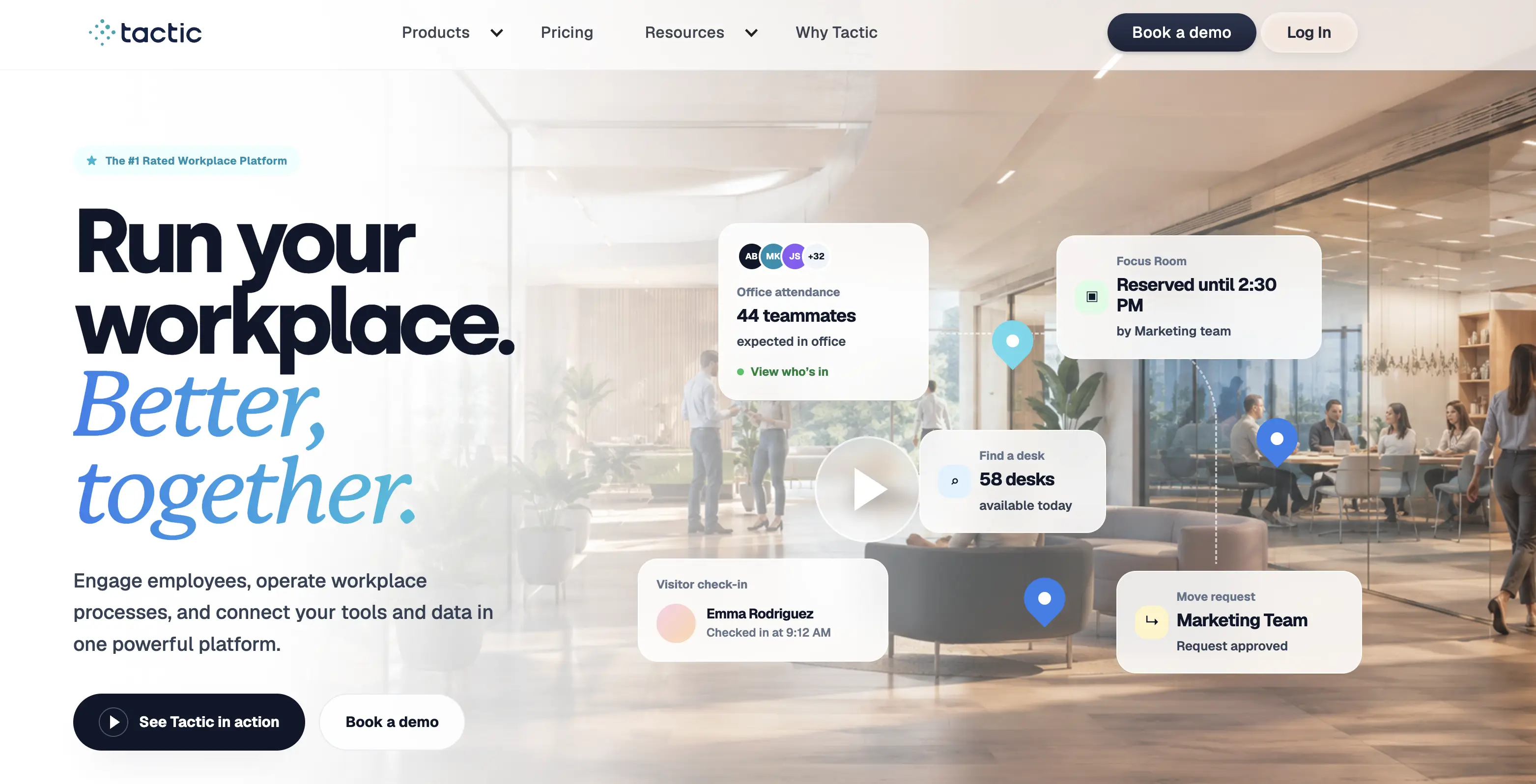
Key Tactic features:
- Desk booking, room reservations, and parking, with interactive map search and one-click booking from the home dashboard
- Tessa AI, which books desks and rooms, answers questions, and handles workplace requests through natural-language chat in Slack, Teams, web, or mobile
- Visitor management with custom badges and check-in
- Workplace requests
- Office insights and occupancy analytics
Tactic pricing: Tactic’s pricing is fully modular now, priced per resource (desks, rooms, locations), not per employee headcount. You pick products à la carte across three groupings, Engage (booking), Operate (requests, space/move management), and Connect (SSO, integrations, Tessa AI), with no forced bundles. There’s no flat rate; an online estimator gives a rough annual range instead.
Certification and compliance stack: Tactic is SOC 2 Type I and Type II compliant.
Integrations: Tactic integrates with Slack and Teams as full embedded apps (not just bots), plus Google/Outlook calendars, HR systems (Workday, BambooHR, ADP, HiBob, Rippling), SSO providers (Okta, Entra ID, Auth0, SAML), and access control (Avigilon, Brivo, Honeywell).
User ratings: 4.6/5 on both G2 and Capterra.
Tactic advantages over deskbird:
- Resource-based pricing, not per-user. Tactic charges by desks, rooms, and locations rather than active user or headcount, which can work out cheaper for a high desk sharing ratio.
- Buy only what you need. Products are fully modular (Engage, Operate, Connect), no forced bundles, so a team that only wants desk booking isn’t paying for meeting rooms or space planning it won’t use.
- A conversational AI agent. Tessa handles bookings and requests through chat, and can walk you through how the product works and answer questions instantly, deskbird’s AI leans more on connecting out to Copilot.
Where deskbird has the edge:
- Self-service floor plan editing. deskbird admins can update floor plans themselves. Tactic requires sending changes to its support team, which slows down seat moves and is often what pushes teams to look at Tactic alternatives when renewal time comes around.
- More consistent performance under load. Tactic reviewers report lag during high-traffic or data-heavy tasks; deskbird doesn’t have this complaint showing up in its reviews.
- More reliable SSO. Some Tactic users report SSO logging glitches; deskbird’s SSO (SAML, OAuth 2.0, FIDO2) doesn’t carry the same complaint in its reviews.
Choose Tactic if:
- Your desk sharing ratio means resource-based pricing beats paying per user or per headcount
- You’d rather buy only the modules you need (just desk booking, for example) than commit to a bundled platform
- You want an AI agent that books and explains itself conversationally in Slack or Teams
Choose deskbird if:
- You need to update floor plans yourself, without waiting on a vendor’s support team for every seat move or reconfiguration
- Consistent performance under heavy usage matters more than modular pricing flexibility
- You want SSO that works reliably, without the login glitches some Tactic users report
6. Skedda
Skedda is a space booking platform built around interactive floor plans and detailed booking rules.
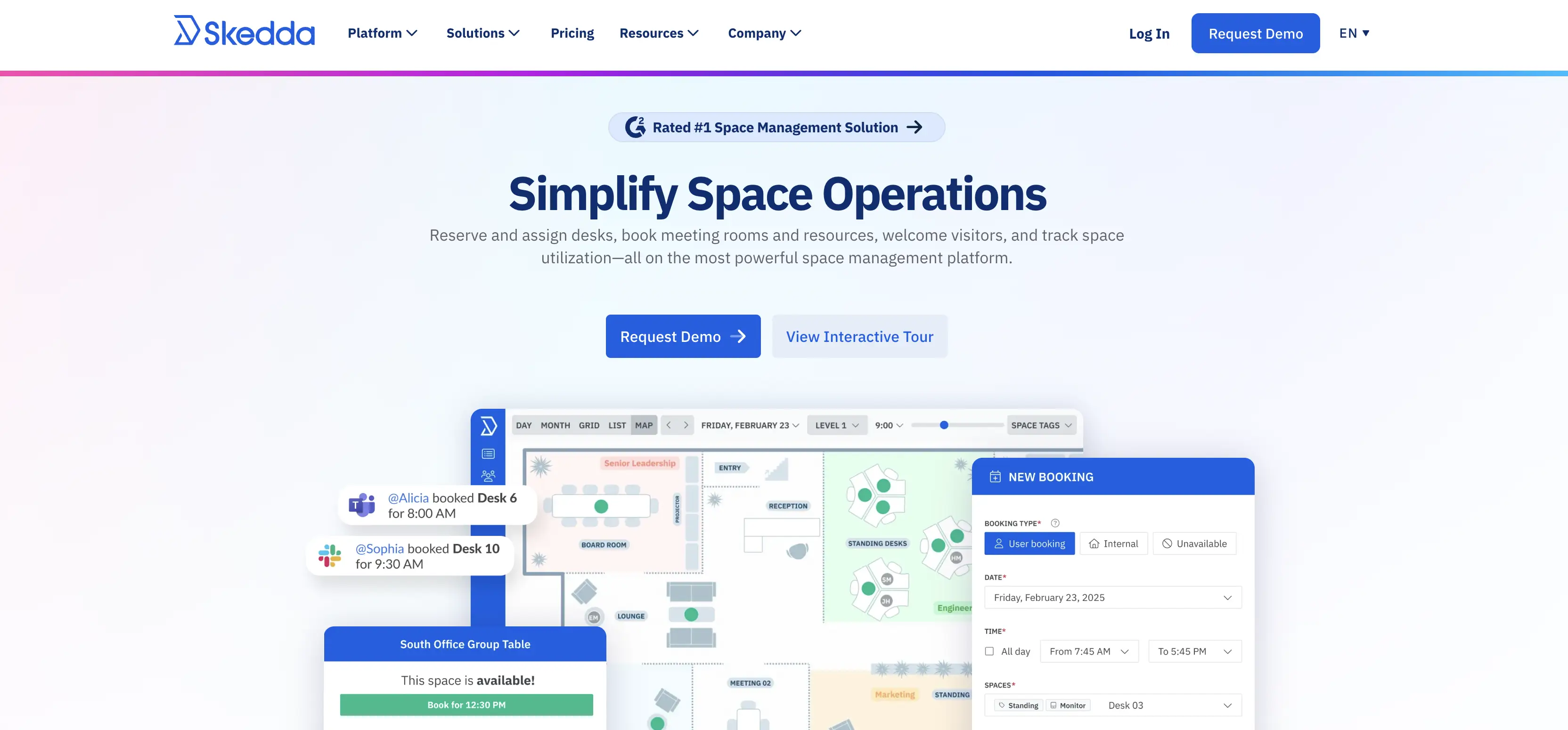
Key Skedda features:
- Desk, room, parking, and locker booking through interactive, drag-and-drop floor plans
- A detailed rules engine: booking windows, time limits, quotas, and access restricted by role or tag
- Check-in with automatic no-show release
- Visitor management (self-check-in via tablet or mobile, host notifications), sold as an add-on
- Two-way calendar sync with Microsoft 365 and Google Workspace, plus a Microsoft Teams app and Slack app
- Payment processing via Stripe, for organizations that charge for space usage
Skedda pricing: Skedda is priced per space, not per user:
- Starter - from $99/month, 25 spaces included.
- Plus - from $149/month, 100 spaces.
- Premier - from $199/month, unlimited spaces
Visitor management can be added to any tier, for an extra $99/month.
AllBooked is Skedda’s product for sports facilities, studios, coworking spaces, and community venues, not office workplace management. It adds embedded pricing, payments, and membership management on top of Skedda’s core rules engine and booking features. Pricing is quote-based.
Certification and compliance stack: SOC 2 Type 2 and Type 1 certified, GDPR compliant with a dedicated compliance policy and incident response plan.
Integrations: Microsoft 365, Teams, Google Workspace, Slack, Zoom, Okta, and more (identity providers, finance tools, room hardware), plus Zapier and webhooks.
User ratings: G2: 4.8/5. Capterra: 4.8/5. Also, rated #1 for Space Management on G2.
Skedda advantages over deskbird:
- Per-space pricing, not per-user. Skedda charges by the number of spaces you manage, which can cost less than deskbird’s per-active-user model for organizations with a high desk sharing ratio.
- A more granular rules engine. Booking windows, quotas, and access restrictions by role or tag are frequently cited as a strength, giving admins finer control than deskbird’s booking rules offer.
- A stronger space management reputation. Skedda’s repeated #1 G2 ranking for Space Management reflects a long track record specifically in this category.
Where deskbird has the edge:
- Broader integrations. deskbird lists 200+ integrations, including dozens of named HRIS systems; Skedda’s list is closer to 20, with no dedicated HR-system category.
- Built-in AI features. deskbird’s AI-powered floor plan designer and Agentic Workplace/Copilot connection have no equivalent in Skedda, which doesn’t offer a comparable AI layer.
- Skedda’s visitor management is more lightweight than deskbird’s. It covers self-check-in and host notifications as a single add-on, while deskbird’s Visitor Experience is a fuller module.
Choose Skedda if:
- Your desk sharing ratio means per-space pricing beats deskbird’s per-active-user model
- You need fine-grained booking rules, quotas, and role-based access restrictions
- You just need space management, not a full AI-powered workplace platform (though it’s worth checking a few Skedda alternatives too, since some of them do more in this specific area)
Choose deskbird if:
- You want an AI-powered workplace management platform, not just a space booking tool
- You need workplace ticketing built in, rather than a separate product
- Deep HRIS integrations matter, or you want a more comprehensive visitor management system than Skedda’s lightweight add-on.
FAQ: Which deskbird Alternative Should You Choose?
What’s the Best deskbird Alternative for Desk Booking With Microsoft Teams Integration?
YAROOMS and Tactic have the deepest native Teams integrations. YAROOMS’ Yarvis AI books natively inside Teams; Tactic’s Teams app is a full embedded dashboard, not just a bot.
Deskbird vs YAROOMS: What’s the Difference?
deskbird bills per active user; YAROOMS prices by location and user-band, which costs less for high desk-sharing ratios. YAROOMS also has a broader compliance stack and on-prem deployment. deskbird counters with deeper HRIS integrations and a self-serve free trial.
Deskbird vs Robin: What’s the Difference?
Robin is built for large enterprises: deeper analytics, employee surveys, and badge-based access control, at custom, enterprise-level pricing. deskbird is more accessible: published pricing, a free trial, and self-service floor plan editing.
Deskbird vs Skedda: What’s the Difference?
Skedda prices per space, not per user, and has a more granular booking rules engine. It’s narrower though: no AI features and no built-in ticketing. deskbird offers broader integrations.
Deskbird vs Tactic: How Do They Compare?
Tactic’s edge is Tessa, a conversational AI that actually books spaces, plus modular, pay-for-what-you-use pricing. deskbird counters with self-service floor plan editing (Tactic needs its support team for this) and steadier performance under heavy use.
Deskbird vs Officely: How Do They Compare?
Officely is built for small, Slack-first teams and undercuts deskbird on entry-level pricing. But desks, rooms, and parking are separate paid products. deskbird bundles all three in one tier.
Deskbird vs Kadence: How Do They Compare?
Kadence’s strength is long-term space planning (SpaceOps) and a published uptime SLA, but pricing is entirely custom-quoted, plus a $250-per-floor setup fee. deskbird is the more transparent option: published pricing, built-in ticketing, broader integrations, and no setup fee.
Workplace of the future. Today.
See how YAROOMS integrates with Microsoft 365 to create a seamless workspace booking experience.